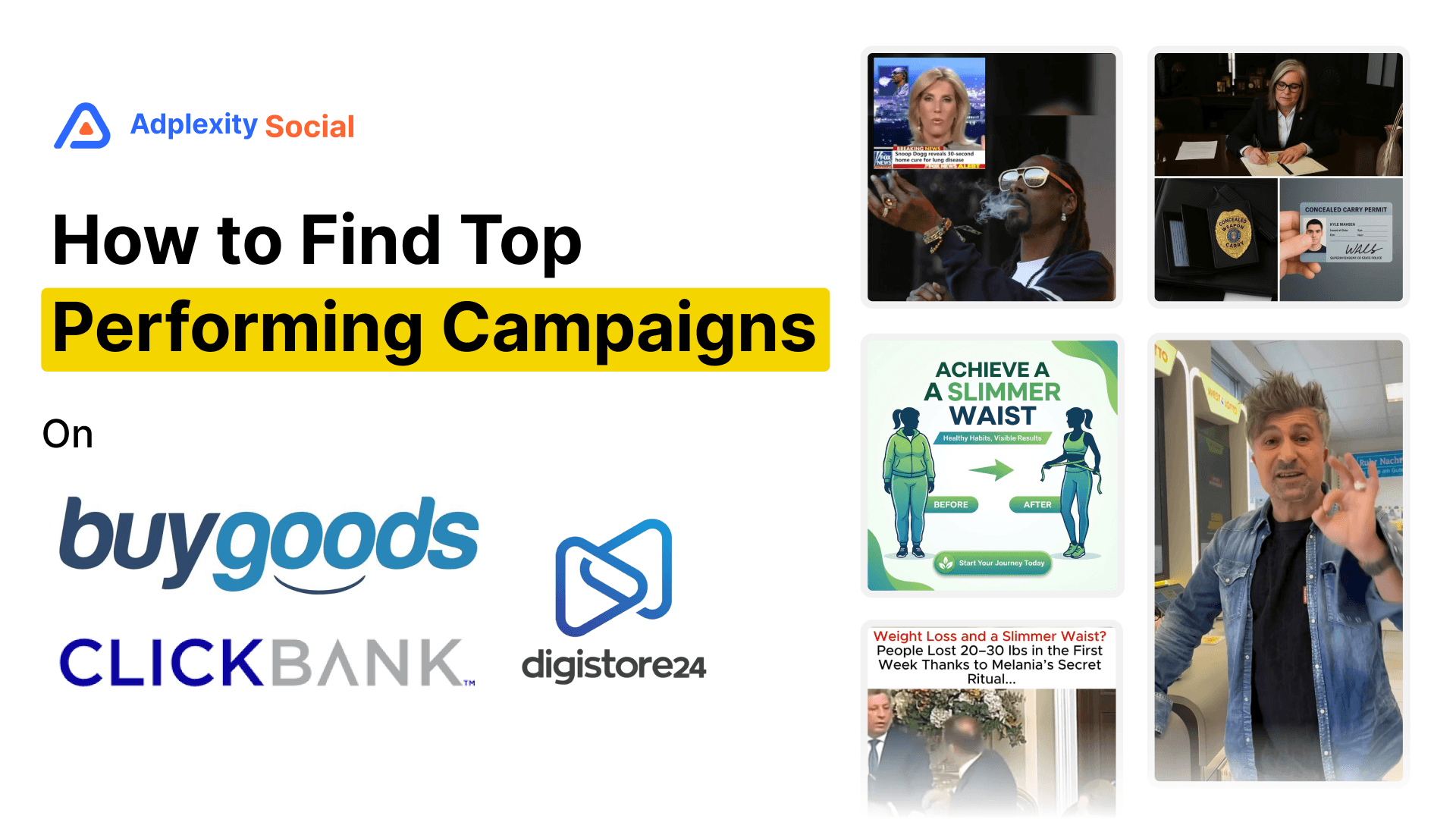
If you promote affiliate offers on Meta, the most frustrating thing about ad intelligence tools has always been the same: you can find individual ads, but you cannot see the full picture of what is winning across an entire offer. You are looking at creatives one at a time while the actual signal is in the aggregate. Which offer is pulling the most spend right now? Which creatives are scaling across dozens of advertisers at once? Which landing pages are getting the most traffic behind a specific BuyGoods or ClickBank product?
Until now, that kind of visibility did not exist in one place. That changes today.
Key takeaways: AdPlexity Social has launched an Affiliate Offer Dimension in beta, giving affiliates a ranked view of which offers are dominating Meta right now across BuyGoods, ClickBank, and Digistore24. Alongside this, the platform added tech stack filters for Cake, Tune, and Everflow, a bulk selection feature inside Boards, and expanded CSV export to include pages. A public API is also coming soon.
Watch the Video Here:
The Affiliate Offer Dimension Is the Main Event
This is the one that has been requested most, and it is the one that changes what is possible for affiliate marketers using the platform.
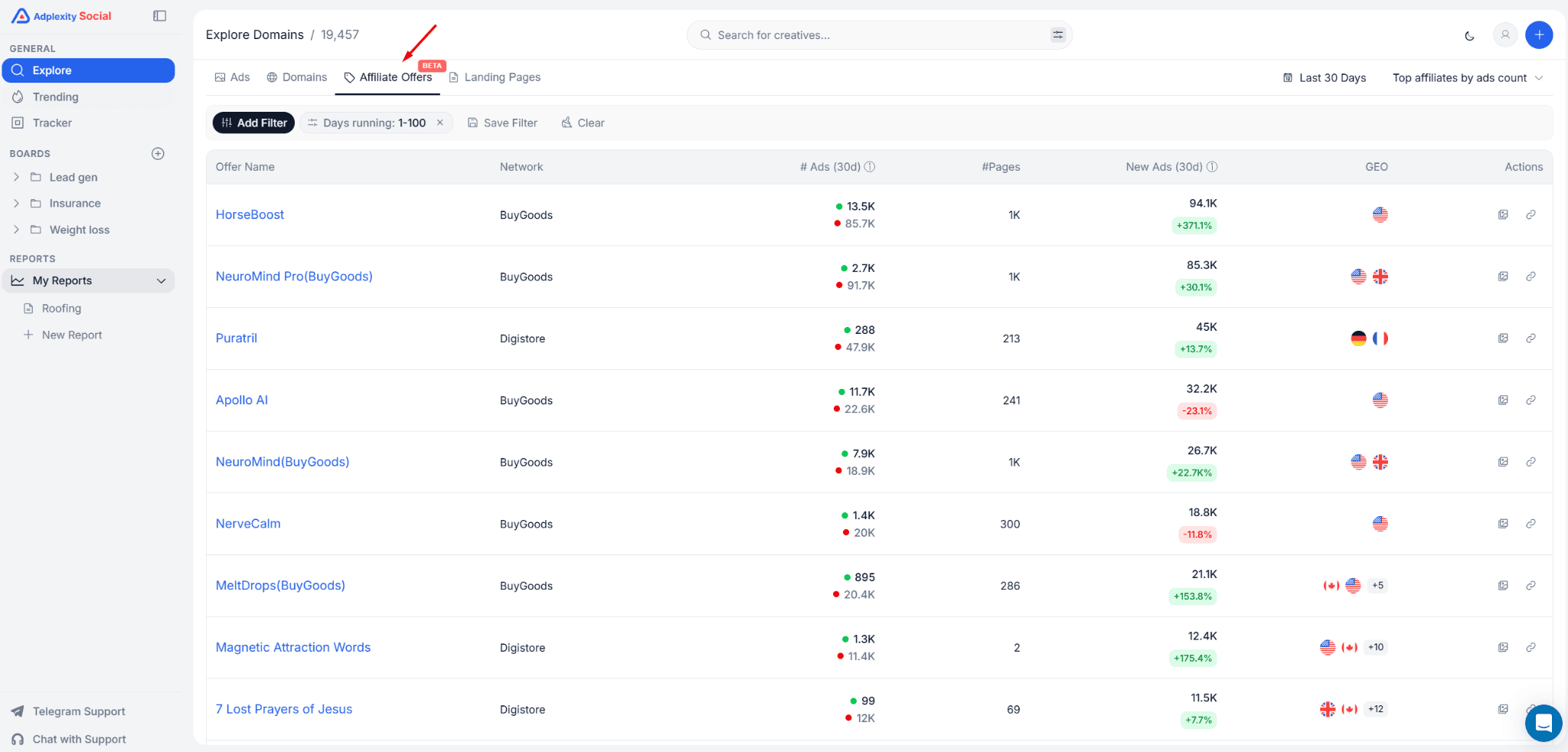
The Affiliate Offer Dimension is accessible from the left sidebar. It is currently labeled "Affiliate Offers (Beta)" while the team continues to expand coverage. Click it, and instead of seeing individual ads, you see data aggregated at the offer level. Total ads recorded, active ads right now, number of advertiser pages promoting the offer, and new ads added in the last 30 days.
That last metric, new ads, is the one to pay attention to. It is the clearest signal of which offers affiliates are actively scaling. An offer with 5,000 total ads is interesting. An offer with 18,000 new ads in the last 30 days is scaling hard, right now.
The dimension currently covers BuyGoods, ClickBank, and Digistore24, with more networks and offers on the way. You can sort the list by total ads, active ads, or new ads, depending on whether you want historical volume or current momentum.
What You Can Actually See When You Click Into an Offer
The list view is useful for spotting which offers are winning. The detail view is where the real research happens.
Open any offer, and you get a breakdown that goes several layers deep. You can see the landing pages being used most heavily across all affiliates promoting that offer. For a competitive offer, that might mean one particular pre-lander is getting 22,000 ads pointing to it, with close to 18,000 new ads in the last 30 days alone. That is not a coincidence. That is the landing page that is working.
You can also see which pages (advertiser accounts) are promoting the offer, which geos the traffic is concentrated in, and which verticals the offer falls under. For a broad niche like male enhancement, for example, you will see that it is almost entirely US traffic, which tells you something about where affiliates have found the audience most responsive.
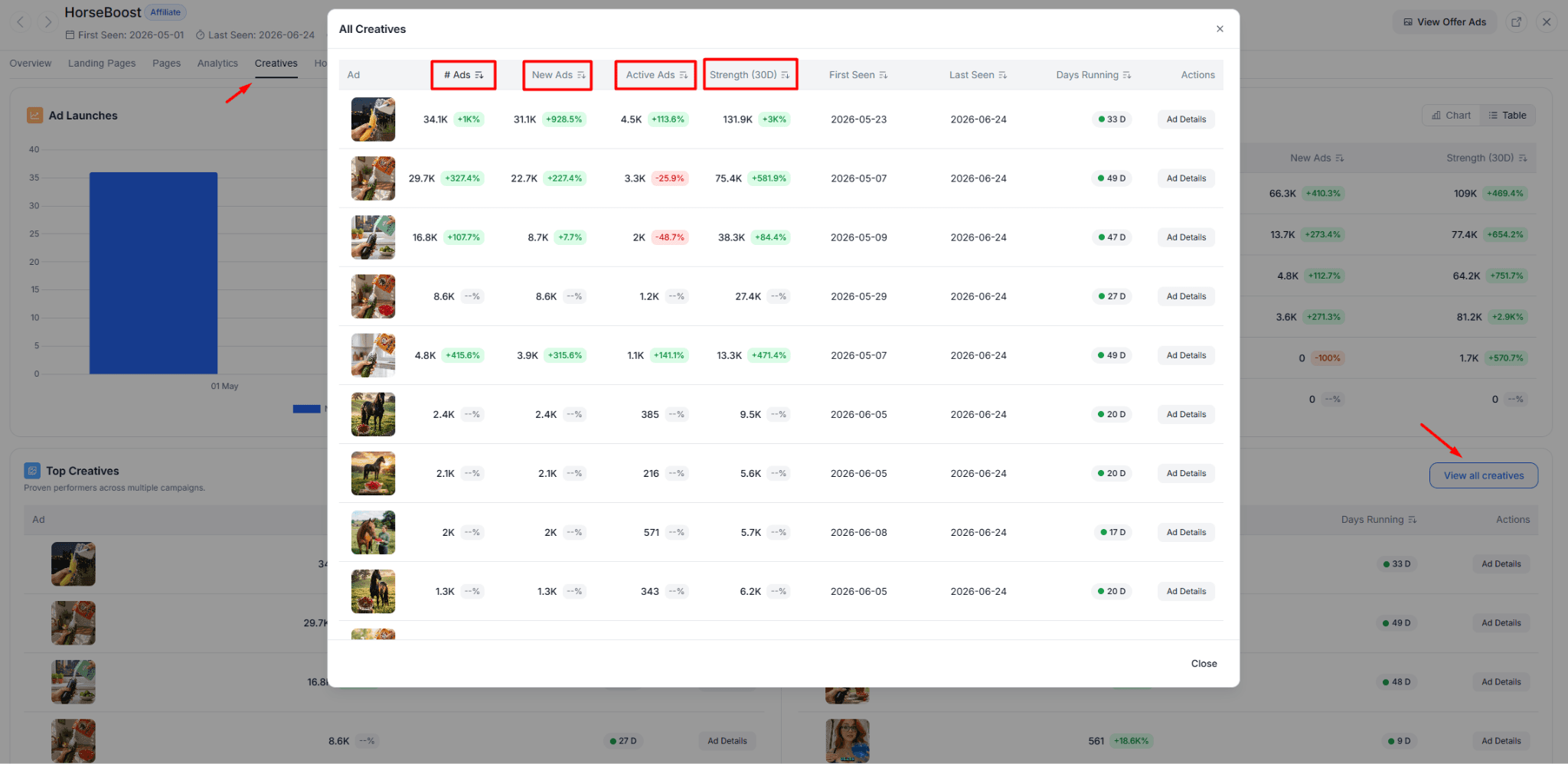
Then there are the creatives. This is arguably the most actionable part. You can sort the creatives being used across all affiliates for a given offer and immediately see which image or video has the most ads running behind it. In practice, that means finding out that a single image has 34,000 ads recorded and 6,100 currently active. That is not one affiliate being creative. That is the industry telling you this creative works.
What you will also notice, looking at offers in verticals like supplements or male health, is that these funnels almost universally rely on image-based ads rather than videos at the top of the funnel. The image handles the curiosity gap. The actual persuasion happens on the advertorial or VSL after the click. Knowing that pattern before you test saves you from building video campaigns in a space that does not use them.
The ad copy view is in there, too. You can see which headlines are being used most frequently across all advertisers running a given offer, and which primary text variations appear most often. If one headline is showing up in 20% of all ads for an offer, that is the angle affiliates have settled on. It is not a guess anymore.
You Can Now Filter by Affiliate Offer Inside the Standard Ad Search
The Affiliate Offer Dimension gives you the big-picture view. But what if you are already browsing ads and want to narrow down to a specific offer?
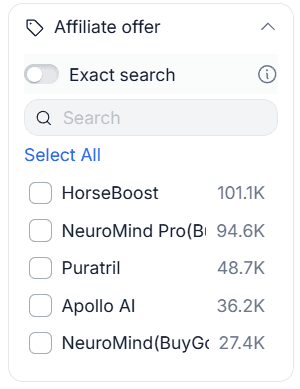
There is now an affiliate offer filter inside the standard Ads search. Add it from the filter bar, select the offer you are researching, and the results update to show only ads tied to that specific product. This is useful when you want to look at one offer in depth, or when you already have a sense of which product you are going to promote and want to do a focused deep-dive before you build your campaign.
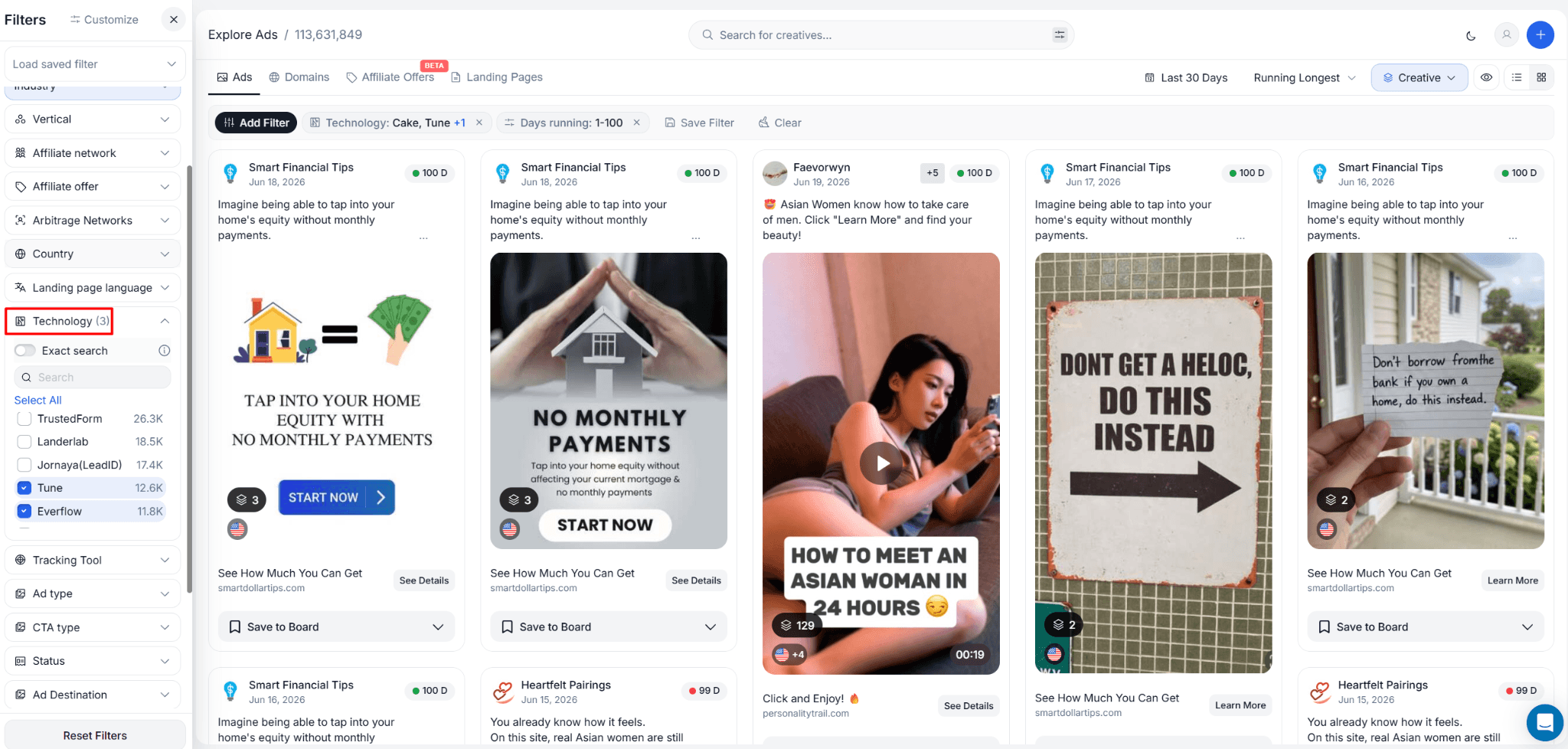
New Tech Stack Filters: Cake, Tune, and Everflow
One of the fastest ways to identify affiliate funnels on Meta is to look at the tracking technology behind the landing page. Affiliate networks have to track clicks somewhere, and the tools they use leave footprints.
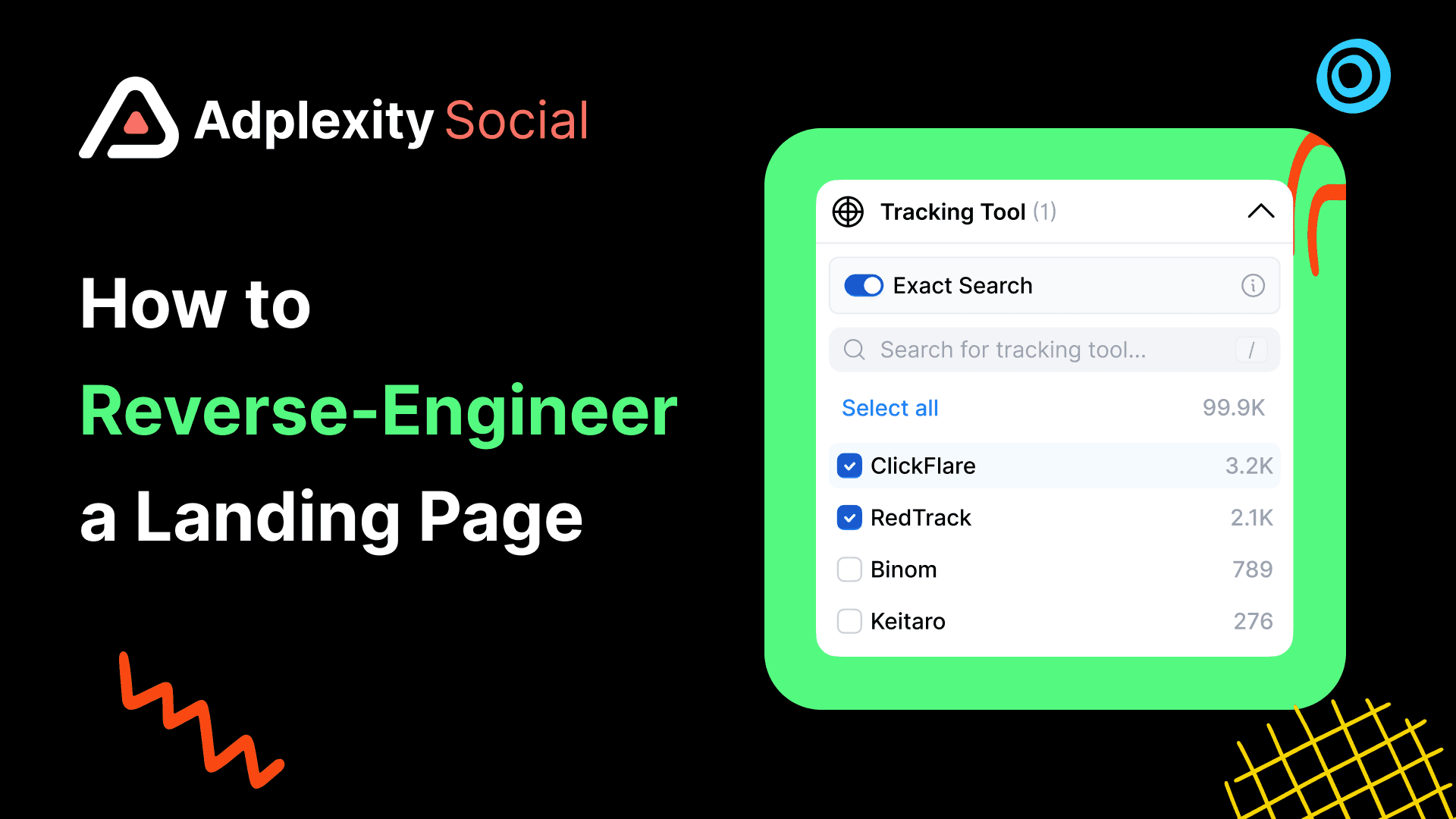
AdPlexity Social now detects three more affiliate tracking platforms in its tech stack filter: Cake, Tune, and Everflow. If you are not familiar, these are among the most widely used affiliate management platforms. When AdPlexity Social picks up one of these technologies behind a landing page, there is a high probability that you are looking at an affiliate-run campaign rather than a direct brand advertiser.
This matters because it filters the noise. If you are specifically looking for affiliate campaigns to research, you can now combine the affiliate tracking filter with a vertical or keyword search and pull back only the results that match the traffic type you care about. The team is adding these filters as building blocks toward getting more offers into the Affiliate Offer Dimension, so expect coverage to grow as more networks are identified.
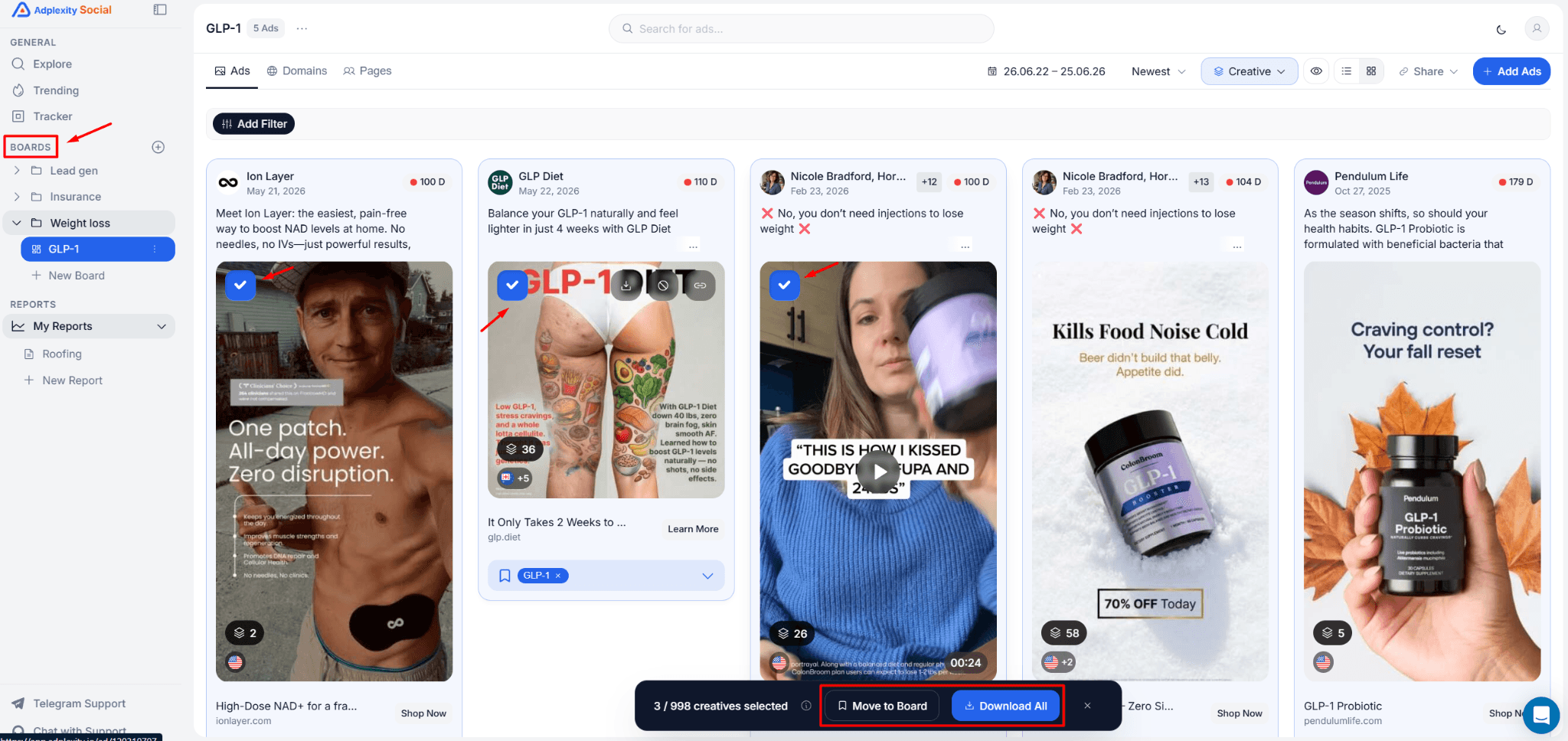
Bulk Selection Is Now Live Inside Boards
Boards already set AdPlexity Social apart from most ad intelligence tools. The ability to save ads, domains, and advertiser pages into organized collections, share them publicly, and sort them into folders is something competitors have not fully matched. The most requested improvement to Boards was simpler: let users select more than one item at a time.
That is now possible. You can bulk select ads inside any Board, then either download them or move them to a different Board. The same applies to domains and pages saved inside a Board. If you have been accumulating items in one collection and want to reorganize them into separate folders for different verticals or clients, you can now do that without opening each item one at a time.
This is the kind of quality-of-life improvement that does not sound exciting until you have spent 20 minutes manually managing a Board with 80 items in it.
CSV Export Now Includes Pages
The download functionality has been expanded. Previously, you could export ad copy (headlines, primary text) and hooks to CSV. Now pages are included in that export as well.
If you are pulling data for analysis, competitor reporting, or anything that happens outside the platform, you now have all the key dimensions available in one export. Creatives, copy, hooks, and the pages behind the ads.
What Is Coming Next
The public API has been in testing with hundreds of users and is expected to be released soon. If you work with ad data programmatically or want to pipe intelligence into your own dashboards, that will be worth watching.
Two new filter types are also in development: a landing page style filter and a creative style filter. Both would give you a more structured way to search by the format and presentation of what is being run, rather than keyword or tech stack alone.
Frequently Asked Questions
Which affiliate networks does the Affiliate Offer Dimension currently cover?
The Affiliate Offer Dimension currently covers BuyGoods, ClickBank, and Digistore24. The team is actively expanding to more affiliate networks and offers. The feature is labeled as beta while this expansion is in progress.
How is the Affiliate Offer Dimension different from just searching for ads with a keyword?
A keyword search returns individual ads that contain your search term. The Affiliate Offer Dimension aggregates all ad activity around a specific product, showing you total ad volume, active ads, new ads added recently, the landing pages being used, and the top creatives across all affiliates. It gives you the market view, not the individual ad view.
What does the new ads metric tell me?
New ads added in the last 30 days is a measure of current momentum. An offer with high total ads but low new ads may have had its peak in the past. An offer showing a large number of new ads recently is one that affiliates are actively scaling right now. For finding opportunities with current traction, sort by new ads first.
What are Cake, Tune, and Everflow, and why do they matter as filters?
These are three of the most widely used affiliate network management platforms. When one of these technologies is detected behind a landing page, it is a strong signal that the campaign is affiliate-run. Filtering by these tech stacks lets you isolate affiliate traffic from brand advertiser traffic, which is useful when you are specifically researching affiliate campaigns.
Can I use the affiliate offer filter in the standard search as well?
Yes. There is now an affiliate offer filter available in the standard Ads search, not just inside the Affiliate Offer Dimension. You can add it from the filter bar and narrow any search to ads tied to a specific offer.
Do I need a paid plan to access the Affiliate Offer Dimension?
The Affiliate Offer Dimension is part of AdPlexity Social. You can access it and all other features by signing up at adplexity.io. Plans start at $99 per month.
What bulk actions are available inside Boards now?
You can now bulk select ads, domains, or pages within a Board and either download them or move them to a different Board. This applies across all element types stored in Boards.
Start Using It Today
The Affiliate Offer Dimension is live now. If you promote BuyGoods, ClickBank, or Digistore24 offers on Meta, and you want to see which products are winning, which creatives are being scaled, and which landing pages the industry has settled on, this is the view that makes that research possible in a few minutes instead of a few hours.
Sign up or log in at adplexity.io to explore the new features.
If you promote affiliate offers on Meta, the most frustrating thing about ad intelligence tools has always been the same: you can find individual ads, but you cannot see the full picture of what is winning across an entire offer. You are looking at creatives one at a time while the actual signal is in the aggregate. Which offer is pulling the most spend right now? Which creatives are scaling across dozens of advertisers at once? Which landing pages are getting the most traffic behind a specific BuyGoods or ClickBank product?
Until now, that kind of visibility did not exist in one place. That changes today.
Key takeaways: AdPlexity Social has launched an Affiliate Offer Dimension in beta, giving affiliates a ranked view of which offers are dominating Meta right now across BuyGoods, ClickBank, and Digistore24. Alongside this, the platform added tech stack filters for Cake, Tune, and Everflow, a bulk selection feature inside Boards, and expanded CSV export to include pages. A public API is also coming soon.
Watch the Video Here:
The Affiliate Offer Dimension Is the Main Event
This is the one that has been requested most, and it is the one that changes what is possible for affiliate marketers using the platform.
The Affiliate Offer Dimension is accessible from the left sidebar. It is currently labeled "Affiliate Offers (Beta)" while the team continues to expand coverage. Click it, and instead of seeing individual ads, you see data aggregated at the offer level. Total ads recorded, active ads right now, number of advertiser pages promoting the offer, and new ads added in the last 30 days.
That last metric, new ads, is the one to pay attention to. It is the clearest signal of which offers affiliates are actively scaling. An offer with 5,000 total ads is interesting. An offer with 18,000 new ads in the last 30 days is scaling hard, right now.
The dimension currently covers BuyGoods, ClickBank, and Digistore24, with more networks and offers on the way. You can sort the list by total ads, active ads, or new ads, depending on whether you want historical volume or current momentum.
What You Can Actually See When You Click Into an Offer
The list view is useful for spotting which offers are winning. The detail view is where the real research happens.
Open any offer, and you get a breakdown that goes several layers deep. You can see the landing pages being used most heavily across all affiliates promoting that offer. For a competitive offer, that might mean one particular pre-lander is getting 22,000 ads pointing to it, with close to 18,000 new ads in the last 30 days alone. That is not a coincidence. That is the landing page that is working.
You can also see which pages (advertiser accounts) are promoting the offer, which geos the traffic is concentrated in, and which verticals the offer falls under. For a broad niche like male enhancement, for example, you will see that it is almost entirely US traffic, which tells you something about where affiliates have found the audience most responsive.
Then there are the creatives. This is arguably the most actionable part. You can sort the creatives being used across all affiliates for a given offer and immediately see which image or video has the most ads running behind it. In practice, that means finding out that a single image has 34,000 ads recorded and 6,100 currently active. That is not one affiliate being creative. That is the industry telling you this creative works.
What you will also notice, looking at offers in verticals like supplements or male health, is that these funnels almost universally rely on image-based ads rather than videos at the top of the funnel. The image handles the curiosity gap. The actual persuasion happens on the advertorial or VSL after the click. Knowing that pattern before you test saves you from building video campaigns in a space that does not use them.
The ad copy view is in there, too. You can see which headlines are being used most frequently across all advertisers running a given offer, and which primary text variations appear most often. If one headline is showing up in 20% of all ads for an offer, that is the angle affiliates have settled on. It is not a guess anymore.
You Can Now Filter by Affiliate Offer Inside the Standard Ad Search
The Affiliate Offer Dimension gives you the big-picture view. But what if you are already browsing ads and want to narrow down to a specific offer?
There is now an affiliate offer filter inside the standard Ads search. Add it from the filter bar, select the offer you are researching, and the results update to show only ads tied to that specific product. This is useful when you want to look at one offer in depth, or when you already have a sense of which product you are going to promote and want to do a focused deep-dive before you build your campaign.
New Tech Stack Filters: Cake, Tune, and Everflow
One of the fastest ways to identify affiliate funnels on Meta is to look at the tracking technology behind the landing page. Affiliate networks have to track clicks somewhere, and the tools they use leave footprints.
AdPlexity Social now detects three more affiliate tracking platforms in its tech stack filter: Cake, Tune, and Everflow. If you are not familiar, these are among the most widely used affiliate management platforms. When AdPlexity Social picks up one of these technologies behind a landing page, there is a high probability that you are looking at an affiliate-run campaign rather than a direct brand advertiser.
This matters because it filters the noise. If you are specifically looking for affiliate campaigns to research, you can now combine the affiliate tracking filter with a vertical or keyword search and pull back only the results that match the traffic type you care about. The team is adding these filters as building blocks toward getting more offers into the Affiliate Offer Dimension, so expect coverage to grow as more networks are identified.
Bulk Selection Is Now Live Inside Boards
Boards already set AdPlexity Social apart from most ad intelligence tools. The ability to save ads, domains, and advertiser pages into organized collections, share them publicly, and sort them into folders is something competitors have not fully matched. The most requested improvement to Boards was simpler: let users select more than one item at a time.
That is now possible. You can bulk select ads inside any Board, then either download them or move them to a different Board. The same applies to domains and pages saved inside a Board. If you have been accumulating items in one collection and want to reorganize them into separate folders for different verticals or clients, you can now do that without opening each item one at a time.
This is the kind of quality-of-life improvement that does not sound exciting until you have spent 20 minutes manually managing a Board with 80 items in it.
CSV Export Now Includes Pages
The download functionality has been expanded. Previously, you could export ad copy (headlines, primary text) and hooks to CSV. Now pages are included in that export as well.
If you are pulling data for analysis, competitor reporting, or anything that happens outside the platform, you now have all the key dimensions available in one export. Creatives, copy, hooks, and the pages behind the ads.
What Is Coming Next
The public API has been in testing with hundreds of users and is expected to be released soon. If you work with ad data programmatically or want to pipe intelligence into your own dashboards, that will be worth watching.
Two new filter types are also in development: a landing page style filter and a creative style filter. Both would give you a more structured way to search by the format and presentation of what is being run, rather than keyword or tech stack alone.
Frequently Asked Questions
Which affiliate networks does the Affiliate Offer Dimension currently cover?
The Affiliate Offer Dimension currently covers BuyGoods, ClickBank, and Digistore24. The team is actively expanding to more affiliate networks and offers. The feature is labeled as beta while this expansion is in progress.
How is the Affiliate Offer Dimension different from just searching for ads with a keyword?
A keyword search returns individual ads that contain your search term. The Affiliate Offer Dimension aggregates all ad activity around a specific product, showing you total ad volume, active ads, new ads added recently, the landing pages being used, and the top creatives across all affiliates. It gives you the market view, not the individual ad view.
What does the new ads metric tell me?
New ads added in the last 30 days is a measure of current momentum. An offer with high total ads but low new ads may have had its peak in the past. An offer showing a large number of new ads recently is one that affiliates are actively scaling right now. For finding opportunities with current traction, sort by new ads first.
What are Cake, Tune, and Everflow, and why do they matter as filters?
These are three of the most widely used affiliate network management platforms. When one of these technologies is detected behind a landing page, it is a strong signal that the campaign is affiliate-run. Filtering by these tech stacks lets you isolate affiliate traffic from brand advertiser traffic, which is useful when you are specifically researching affiliate campaigns.
Can I use the affiliate offer filter in the standard search as well?
Yes. There is now an affiliate offer filter available in the standard Ads search, not just inside the Affiliate Offer Dimension. You can add it from the filter bar and narrow any search to ads tied to a specific offer.
Do I need a paid plan to access the Affiliate Offer Dimension?
The Affiliate Offer Dimension is part of AdPlexity Social. You can access it and all other features by signing up at adplexity.io. Plans start at $99 per month.
What bulk actions are available inside Boards now?
You can now bulk select ads, domains, or pages within a Board and either download them or move them to a different Board. This applies across all element types stored in Boards.
Start Using It Today
The Affiliate Offer Dimension is live now. If you promote BuyGoods, ClickBank, or Digistore24 offers on Meta, and you want to see which products are winning, which creatives are being scaled, and which landing pages the industry has settled on, this is the view that makes that research possible in a few minutes instead of a few hours.
Sign up or log in at adplexity.io to explore the new features.
Table of Contents
Quickly navigate through the key sections of this article.