
ClickBank vs BuyGoods vs Digistore24: Which Should You Join in 2026?
Share:

The network with the most affiliate ads on Meta is the one you cannot simply sign up to. Here is how all three compare on access, money and what actually runs.
The network with the most affiliate ads on Meta is the one you cannot simply sign up to. Here is how all three compare on access, money and what actually runs.
Table of Contents
What Is the Difference Between ClickBank, BuyGoods and Digistore24?
Which Network Has the Most Ads Running on Meta?
ClickBank vs BuyGoods: Which Is Better for Affiliates?
ClickBank vs Digistore24: Which Should You Promote?
How Do Commissions, Payouts and Fees Compare?
How Do Refunds and Reserves Work on Each Network?
How Do You Spot Top-Performing Affiliate Campaigns on ClickBank, BuyGoods and Digistore24?
Which Network Should You Choose?
Frequently Asked Questions
Conclusion
Key takeaways. Over the past month, AdPlexity Social tagged about eight times as many Meta ads to BuyGoods offers as to ClickBank offers, and almost every BuyGoods offer it named was a health supplement. BuyGoods is also the one network of the three you join by application. ClickBank and Digistore24 carry fewer ads but a far wider spread of offers, from a fruit tree growing course to an off-grid water guide. So the choice comes down less to commission rates than to which offers you can get approved for and which ones other buyers already pay to run.
The networks' comparison pages argue about cookie lengths and payout days, but on Meta the bigger difference is which offers each network has and who gets to run them.
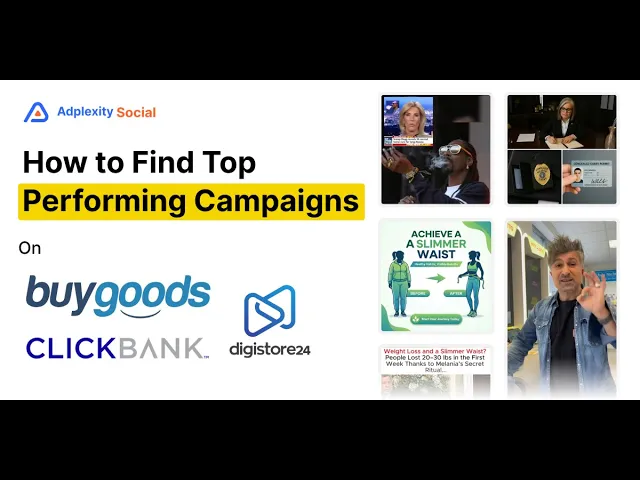
If you buy Meta traffic for affiliate offers and are choosing between ClickBank, BuyGoods and Digistore24, this comparison covers how you join each one, what it pays and when, what happens after a refund, and what each network's offers look like on Meta right now. The Meta data comes from AdPlexity Social, which records Meta ads across all placements with the landing pages, redirect chains and affiliate networks behind them. The network terms come from each network's help pages and contracts as published on October 25, 2026, not from their comparison pages. I recorded a walkthrough of the network filters, which you can watch below; it shows an earlier version of the app, so the steps further down use today's labels.
Watch the video here:
What Is the Difference Between ClickBank, BuyGoods and Digistore24?
ClickBank, running since 1998, is an open marketplace you join for free, BuyGoods is a curated health and wellness marketplace you join by application, and Digistore24 is a German-founded reseller whose contract depends on the company an offer sells through.
On ClickBank, sellers set the commission on each offer, and its own comparison page says the marketplace has been running since 1998. BuyGoods describes itself as "a curated platform for experienced affiliates and vendors only" and reviews every application by hand. Digistore24 is a reseller: customers pay through its order form. Because it sells through regional companies in Germany, the US, the UK and Ireland, the contract that applies to you depends on which one of them the offer sells through.
Table A: The three networks at a glance
ClickBank | BuyGoods | Digistore24 | |
|---|---|---|---|
Who runs it | Click Sales, Inc. in Idaho, since 1998 | BuyGoods Inc., a US company | Founded in Germany in 2012, sells through companies in Germany, the US, the UK and Ireland |
How you join | Free sign-up; some sellers pre-approve affiliates | By application, reviewed by hand | Free sign-up; you request each offer, usually accepted automatically |
What you can promote | Digital and physical products, one-time and recurring | Health and wellness offers, by its own description | Digital products, selected physical products, services, events and seminars |
Commission plans | RevShare or CPA, set by the seller | CPL, CPA or revshare | A percentage or fixed amount set by the vendor; CPA and revshare |
Cookie | 60 days, last click | 90 days, last touch | Up to 180 days; up to 365 in regions like the US, by its Promolink help article |
How often you get paid | Weekly or every two weeks | Weekly by default, more often at higher monthly revenue | On up to four set dates a month |
Refund window | 60 days by default, 30 to 90 set by the seller | At least 60 days, set by the vendor | Set by the vendor |
Marketplace numbers | Gravity, EPC, conversion rate and Return Rate, after login | A public campaign list with conversion rate, average payout and EPC | Cart conversion and cancellation rate, after login |
Meta ads AdPlexity Social recorded, last 30 days, all countries | About 21,100 | About 174,500 | About 30,000 |
Network terms as published on October 25, 2026, on each network's help pages and contracts. Meta figures read October 25, 2026 in AdPlexity Social, all countries, Last 30 Days; one ad can carry more than one network tag.
One caution first: ClickBank and Digistore24 both publish comparison pages with payout figures that do not match what their own help centers say. ClickBank's comparison pages say it pays up to three times a week, and its page on Digistore24 gives a $10 payout threshold. ClickBank's Accounting Policy, though, says weekly or every two weeks, with a threshold you choose starting at $50. Digistore24's own comparison post says it pays up to three times a week with no minimum payout threshold, while its help center lists four payout dates a month, each with a minimum balance. So read the help center or the contract before you plan your cash flow.
Which Network Has the Most Ads Running on Meta?
BuyGoods, by a wide margin, as AdPlexity Social records it. In the 30 days before October 25, 2026, AdPlexity Social tagged about eight times as many Meta ads to BuyGoods offers as to ClickBank offers, counting all countries. And in its Aff. Offers tab, which is still in Beta, 23 of the 24 BuyGoods offers it names for that window were health supplements.

Table B: What AdPlexity Social recorded for each network, last 30 days
Signal | ClickBank | BuyGoods | Digistore24 |
|---|---|---|---|
Meta ads, all countries | 21.1K | 174.5K | 30K |
Meta ads, United States | 16.9K | 151.9K | 8.6K |
Share of its ads that ran in the US | About 80% | About 87% | Under a third (Germany about a quarter) |
Offers named in the Aff. Offers tab | 25 | 24 | 29 |
What those offers are | Health supplements, astrology and money-making offers, and a few others | Health supplements, plus one skin serum | Homestead and gardening guides, prayer and remedy offers, business courses |
Most detected landing technology | VTurb, closely followed by PWA and ClickFunnels | VTurb, on about half of its ads | VTurb, then LeadPages |
Most detected tracker | None on about four in five ads; Redtrack on most of the rest | Redtrack, on about five in six ads | None on almost all ads |
Read October 25, 2026 in AdPlexity Social, Last 30 Days, all countries unless stated. One ad can carry more than one network tag, so the rows do not add up, and ads with no detected network are not counted. The offers row counts the offers AdPlexity Social names, not each network's catalog.
BuyGoods' volume is concentrated rather than broad. AdPlexity Social detected the Redtrack tracker on about five in six BuyGoods ads and VTurb, a video player for sales letters, on about half. Most of those ads ran in the United States, and the named offers were almost all health supplements. For anyone running those same offers, that can mean crowded auctions.
Digistore24 is the international one: AdPlexity Social recorded under a third of its ads running in the United States, with Germany close behind. The Fruit Trees Program, a course on growing fruit trees sold in English and French, shows it. It also had more new ads in the window than any other Digistore24 offer in the Aff. Offers tab, and AdPlexity Social has recorded more than 3,700 ads for it, from three Pages named after the program.

ClickBank is US-heavy too (about four in five of its ads, as AdPlexity Social recorded them), but its offers cover a wider mix of niches. Take the Off-Grid Water System, a guide to building a system that makes drinking water from air. AdPlexity Social first saw it in August and has recorded about 1,500 ads for it since, all from one Page, and the click lands on a video sales page.
These are the ads AdPlexity Social recorded on Meta in that window (unless a figure says otherwise), not the networks' sales, revenue or full size.
ClickBank vs BuyGoods: Which Is Better for Affiliates?
ClickBank suits an affiliate who wants to start now and choose from many niches; BuyGoods suits an experienced affiliate with a track record in the health and wellness offers it carries.
The difference starts at the door. ClickBank sign-up is free, though some sellers require affiliates to be pre-approved. BuyGoods reviews every application by hand and asks applicants for proof of past performance or a referral.
What you can see before you promote anything differs too. ClickBank's marketplace numbers appear only after you log in: Gravity (the number of affiliates who earned a commission on an offer over roughly the last three months), earnings per click (EPC), conversion rate and Return Rate. BuyGoods publishes its campaign list openly, with each offer's conversion rate, average payout, EPC, allowed GEOs and traffic restrictions. You can promote an offer only once your application is accepted, though, and the list does not say what period its figures cover.
The money rules look alike until you read the details. ClickBank's cookie lasts 60 days on the last click, BuyGoods' 90 days on the last touch. Both hold your first payout until you have five sales, but they count them differently. ClickBank's Accounting Policy wants five sales from unique customers, each more than 14 days old and not all paid the same way; the BuyGoods payments page wants your first offer to be more than 30 days old with five unique purchases, plus an ID check. Both also hold back 10% as standard: ClickBank as a return allowance released after 12 weeks, BuyGoods as a reserve on revshare earnings, with none on CPA.
On Meta, the two are lopsided. In the 30 days before October 25, 2026, AdPlexity Social tagged far more Meta ads to BuyGoods than to ClickBank, in far fewer niches, and both networks' ads ran mostly in the United States. ClickBank's own comparison page even says you can work with both.
ClickBank vs Digistore24: Which Should You Promote?
Promote through ClickBank if you buy mostly US, English-language traffic and want weekly or fortnightly pay; promote through Digistore24 if you buy European or German-language traffic or want the longer cookie, and read its US terms on ad copy first.
Both marketplaces keep their numbers behind a login. ClickBank shows Gravity, EPC, conversion rate and a Return Rate; Digistore24 shows cart conversion, cancellation rate and earnings per order form visitor. Reading those numbers before you spend is part of how to validate an affiliate offer.
Then read the contracts. Under the German company's terms, the vendor can set advertising requirements that become part of your contract, and the US company's terms require Digistore24 Inc.'s express written approval before you publish ad copy you wrote yourself. On ClickBank the check to expect is different: some sellers require affiliates to be pre-approved, while on Digistore24 you request each offer and requests are usually accepted automatically.
The money differs on three counts. ClickBank's cookie lasts 60 days, while Digistore24's lasts up to 180 days, and its Promolink help article says up to 365 in regions like the US. ClickBank pays weekly or every two weeks, Digistore24 on up to four set dates a month, each with a minimum balance. And ClickBank's refund window is 60 days by default; on Digistore24 the vendor sets the return period.
On Meta, the contrast is geographic. In the 30 days before October 25, 2026, AdPlexity Social recorded about four in five ClickBank-tagged ads running in the United States, against under a third of the Digistore24-tagged ads, with Germany close behind.
How Do Commissions, Payouts and Fees Compare?
All three let the offer owner set the commission, so compare the payout mechanics instead: ClickBank pays weekly or every two weeks, BuyGoods weekly or more often as your revenue grows, and Digistore24 on up to four set dates a month.
Table C: Commissions, payouts and fees
ClickBank | BuyGoods | Digistore24 | |
|---|---|---|---|
Who sets the commission | The seller, offer by offer | Set per offer and plan | The vendor, offer by offer |
How often you get paid | Weekly or every two weeks by direct deposit or wire; checks every two weeks | Weekly; twice a week from $15,000 a month in revenue, three times from $30,000 | Up to four dates a month (the 7th, 14th, 21st and 28th); the 7th and 21st by default |
Minimum payout | A threshold you choose, $50 to $1,000,000 ($100 by default) | $100 for ACH and wire | 50 on the 7th, 200 on the other dates, 250 for international transfers (in your account's currency) |
Payout methods and costs | Direct deposit, wire, check or Payoneer; $5.00 per payment, $45 extra per wire; no PayPal | ACH (US only, free), Payoneer (free), wire ($40), PayPal ($3) | US company: ACH or US PayPal ($2.50 each), international wire ($40); German company: SEPA free, PayPal 2% |
Before your first payout | Five sales from unique customers, each more than 14 days old, with more than one payment method | First offer more than 30 days old with five unique purchases, plus an ID check | 90% paid after 14 days (30 days for products over €300), 10% held for 60 days |
As published on October 25, 2026, on each network's help pages and terms. Fees and floors change, so check your own account.
Sign-up is free on ClickBank and free on Digistore24 according to their own help pages. BuyGoods asks for an application and lists no affiliate fee, so the payout fees in the table are the ones that matter. Headline commission rates say little, because the seller or vendor sets them offer by offer.
How Do Refunds and Reserves Work on Each Network?
On a revenue-share sale, a refund takes your commission back on all three networks; what differs is how long customers have, and how much each network holds back while you wait.
ClickBank revokes a revenue-share commission when a sale is refunded or charged back, while a flat-rate CPA commission stays with you. The refund window is 60 days by default, and sellers can set it anywhere from 30 to 90 days. ClickBank also holds back a return allowance, 10% as standard, for 12 weeks.
BuyGoods takes back the commission on a refunded revshare order, and keeps a 10% reserve on revshare earnings (its terms allow more on offers with high refund rates) but none on CPA. Its payments page gives customers up to 90 days to ask for a refund and up to 180 to start a chargeback, and its terms separately require vendors to give customers a refund period of at least 60 days.
With Digistore24 the answer depends on the contract: under the German terms the commission claim lapses on a refund, and the US terms deduct refunds except on promotions designated as cost per action. The vendor sets the return period, and Digistore24 keeps 10% of each sale's earnings as a security deposit for 60 days.
ClickBank's Return Rate and Digistore24's cancellation rate show how often an offer's buyers ask for their money back.
How Do You Spot Top-Performing Affiliate Campaigns on ClickBank, BuyGoods and Digistore24?
To see which ClickBank, BuyGoods or Digistore24 offers media buyers are running on Meta, filter Explore in AdPlexity Social by affiliate network. It tags each ad with the networks it detects behind the click, on the landing page and in the redirect chain, so the creatives, landing pages and offers for each network are one filter away.
I walk through an earlier version of this in the video above; the steps below use today's labels.
Step 1: Filter Explore by One Network
In Explore, on the Ads tab, click "Add Filter", then open "Affiliate network" and pick ClickBank, BuyGoods or Digistore (the app's spelling), one at a time so their ads do not mix. The filter also lists GiddyUp and smaller networks. Set the date to "Last 30 Days" and add the Country you buy.
Step 2: Sort the Creatives by Creative Score
Group the results by "Creative" and sort by "Top Creative", AdPlexity Social's Creative Score sort. The score reflects how many duplicates of a creative are active, how fast new ones launch and how long it has run. Read each creative's new ads and active ads together with its days running: a burst of new ads over a few days is a test, not yet a winner. For long runs, the "Days running" filter narrows the list.

Step 3: Open an Ad and Follow the Click
Open a creative. Its "Creative Details" list the "Affiliate Offer" and the "Affiliate Networks" behind it, and its "Landing Pages" tab shows the page the click opens, with a preview and a "Redirect Chain" button when the click passes through redirects. This is where a network shows even when the ad never names it, the same detection behind the hidden affiliate ads AdPlexity Social finds. An ad can carry more than one network when more than one is detected behind its click.

Step 4: Switch to Domains to See Who Carries the Volume
Keep the network filter and open the "Domains" tab, sorted by "Top domains by new ads count". It lists the sites that carry a network's ads; filtered to the Fruit Trees Program, it shows the program's two domains, one English and one French. Before you treat a domain as new or long-running, open its "Domain Details" for the first seen and last seen dates and the total ads.

Step 5: Compare Offers in the Aff. Offers Tab
Open "Aff. Offers" (Beta), where each row shows the "Offer Name", the "Network", "# Ads (30d)" split into active and inactive, "#Pages", "New Ads (30d)" with its change and the "GEO". Sort by "Top affiliates by new ads count" and the offers adding the most new ads come first; the network filter works here too. Open an offer for its "Overview", "Landing Pages", "Pages", "Analytics", "Creatives", "Hooks" and "Ad Copy" tabs, then use "Save Offer", or save single ads to a Board. On BuyGoods the steps are the same, and AdPlexity Social's top rows for the 30 days before October 25, 2026 were health offers.

The same network filter works through AdPlexity Social's API and MCP, so an agent or a script can pull a network's ads too. Sign up at adplexity.io and run these five steps on the network you work with.
Which Network Should You Choose?
Choose by the traffic you buy and the experience you have. If you are new to affiliate offers and buy mostly US traffic, start with ClickBank: sign-up is free, its marketplace is broad, and it pays weekly or every two weeks. About four in five of the Meta ads AdPlexity Social tagged to it in the 30 days before October 25, 2026 ran in the United States, which matches the traffic you buy.
Digistore24 is the one to look at if you buy European or German-language traffic, or want the longest cookie of the three. Read its US terms on ad copy first if the offers you promote sell through its US company.
BuyGoods fits an experienced affiliate with a track record in health and wellness. It also carried most of the volume AdPlexity Social recorded on Meta among the three in the 30 days before October 25, 2026.
Whichever network you pick, the rules for affiliate links in Facebook ads apply to your funnel the same way, and the offer itself still needs validating before you spend.
Frequently Asked Questions
Which affiliate network is best for beginners: ClickBank, BuyGoods or Digistore24?
ClickBank and Digistore24 both let you sign up free and choose offers from a marketplace, while BuyGoods asks for proof of past performance or a referral. Between those two, let the market you buy decide: in the 30 days before October 25, 2026, about four in five of the Meta ads AdPlexity Social tagged to ClickBank ran in the US, and for Digistore24 it was under a third.
How do you become a BuyGoods affiliate?
Apply through BuyGoods' site: it reviews every application by hand and asks for proof of past performance or a referral. Once accepted, you choose from its campaign list, where each offer shows its allowed GEOs and traffic restrictions. Nothing is paid until your first offer is more than 30 days old and has five unique purchases, and BuyGoods verifies your identity before the first payment.
What is Digistore24 and how does it work?
Digistore24 is a reseller-based online sales platform, founded in Germany in 2012. Vendors list digital products, selected physical products, services, events and seminars on it, and affiliates promote each offer through a promolink. Customers pay through its order form, and Digistore24 takes care of tax accounting, bookkeeping and invoicing. It sells through regional companies, so the contract that applies depends on which of them an offer sells through.
Is Digistore24 free to join?
Yes, for affiliates: its help center says registering for and using Digistore24 Inc. is free of charge. Vendors pay Digistore24 a fee on each sale instead. As an affiliate you pay only payout fees, which depend on the Digistore24 company and the payout method.
What payment methods does Digistore24 offer affiliates?
Through Digistore24 Inc., payouts go by PayPal, US bank transfer (ACH) or international bank transfer, in US dollars. As published on October 25, 2026, the fee is two dollars fifty per ACH or US PayPal payout and forty dollars per international wire. Through the German company, SEPA transfers are free and PayPal payouts cost 2%. Payouts run on up to four dates a month once your balance passes that date's floor.
Can you promote ClickBank, BuyGoods or Digistore24 offers with Facebook ads?
As of the October 2026 checks, none of the three networks' affiliate terms banned direct linking from Facebook ads, but each lets vendors add their own promotion rules. BuyGoods lists restrictions on each offer, and Digistore24's US terms require its written approval before you publish ad copy you wrote yourself. Meta's ad review can also include the page your ad links to.
Is ClickBank still worth it in 2026?
ClickBank is still active on Meta: AdPlexity Social recorded about 21,100 Meta ads tagged to it in all countries in the 30 days before October 25, 2026. Signing up is free, but weigh the refund side before you decide, because revenue-share commissions are revoked on refunds and ClickBank holds back a return allowance, 10% as standard, for 12 weeks.
What are the best alternatives to ClickBank?
Digistore24 and BuyGoods are the two networks ClickBank compares itself with on its own comparison pages. Beyond those two, GiddyUp is a managed network that admits marketing partners by application. AdPlexity Social also recorded Meta ads tagged to networks such as CJ, Awin, ClickDealer and MaxBounty in the 30 days before October 25, 2026. Which one fits depends on the offers you can get approved for and the countries you buy.
Conclusion
In the Meta ads AdPlexity Social recorded, BuyGoods has by far the most affiliate ads, and almost all of its named offers are health supplements. ClickBank and Digistore24 carry fewer ads but a wider spread of offers. BuyGoods is also the one network of the three you join by application.
Pick by the offers you can get approved for and the traffic you buy, then check what other buyers already pay to run. Sign up at adplexity.io, filter Explore by the network you work with and see which of its offers other media buyers are paying to run this week.
Table of Contents
What Is the Difference Between ClickBank, BuyGoods and Digistore24?
Which Network Has the Most Ads Running on Meta?
ClickBank vs BuyGoods: Which Is Better for Affiliates?
ClickBank vs Digistore24: Which Should You Promote?
How Do Commissions, Payouts and Fees Compare?
How Do Refunds and Reserves Work on Each Network?
How Do You Spot Top-Performing Affiliate Campaigns on ClickBank, BuyGoods and Digistore24?
Which Network Should You Choose?
Frequently Asked Questions
Conclusion
Key takeaways. Over the past month, AdPlexity Social tagged about eight times as many Meta ads to BuyGoods offers as to ClickBank offers, and almost every BuyGoods offer it named was a health supplement. BuyGoods is also the one network of the three you join by application. ClickBank and Digistore24 carry fewer ads but a far wider spread of offers, from a fruit tree growing course to an off-grid water guide. So the choice comes down less to commission rates than to which offers you can get approved for and which ones other buyers already pay to run.
The networks' comparison pages argue about cookie lengths and payout days, but on Meta the bigger difference is which offers each network has and who gets to run them.
If you buy Meta traffic for affiliate offers and are choosing between ClickBank, BuyGoods and Digistore24, this comparison covers how you join each one, what it pays and when, what happens after a refund, and what each network's offers look like on Meta right now. The Meta data comes from AdPlexity Social, which records Meta ads across all placements with the landing pages, redirect chains and affiliate networks behind them. The network terms come from each network's help pages and contracts as published on October 25, 2026, not from their comparison pages. I recorded a walkthrough of the network filters, which you can watch below; it shows an earlier version of the app, so the steps further down use today's labels.
Watch the video here:
What Is the Difference Between ClickBank, BuyGoods and Digistore24?
ClickBank, running since 1998, is an open marketplace you join for free, BuyGoods is a curated health and wellness marketplace you join by application, and Digistore24 is a German-founded reseller whose contract depends on the company an offer sells through.
On ClickBank, sellers set the commission on each offer, and its own comparison page says the marketplace has been running since 1998. BuyGoods describes itself as "a curated platform for experienced affiliates and vendors only" and reviews every application by hand. Digistore24 is a reseller: customers pay through its order form. Because it sells through regional companies in Germany, the US, the UK and Ireland, the contract that applies to you depends on which one of them the offer sells through.
Table A: The three networks at a glance
ClickBank | BuyGoods | Digistore24 | |
|---|---|---|---|
Who runs it | Click Sales, Inc. in Idaho, since 1998 | BuyGoods Inc., a US company | Founded in Germany in 2012, sells through companies in Germany, the US, the UK and Ireland |
How you join | Free sign-up; some sellers pre-approve affiliates | By application, reviewed by hand | Free sign-up; you request each offer, usually accepted automatically |
What you can promote | Digital and physical products, one-time and recurring | Health and wellness offers, by its own description | Digital products, selected physical products, services, events and seminars |
Commission plans | RevShare or CPA, set by the seller | CPL, CPA or revshare | A percentage or fixed amount set by the vendor; CPA and revshare |
Cookie | 60 days, last click | 90 days, last touch | Up to 180 days; up to 365 in regions like the US, by its Promolink help article |
How often you get paid | Weekly or every two weeks | Weekly by default, more often at higher monthly revenue | On up to four set dates a month |
Refund window | 60 days by default, 30 to 90 set by the seller | At least 60 days, set by the vendor | Set by the vendor |
Marketplace numbers | Gravity, EPC, conversion rate and Return Rate, after login | A public campaign list with conversion rate, average payout and EPC | Cart conversion and cancellation rate, after login |
Meta ads AdPlexity Social recorded, last 30 days, all countries | About 21,100 | About 174,500 | About 30,000 |
Network terms as published on October 25, 2026, on each network's help pages and contracts. Meta figures read October 25, 2026 in AdPlexity Social, all countries, Last 30 Days; one ad can carry more than one network tag.
One caution first: ClickBank and Digistore24 both publish comparison pages with payout figures that do not match what their own help centers say. ClickBank's comparison pages say it pays up to three times a week, and its page on Digistore24 gives a $10 payout threshold. ClickBank's Accounting Policy, though, says weekly or every two weeks, with a threshold you choose starting at $50. Digistore24's own comparison post says it pays up to three times a week with no minimum payout threshold, while its help center lists four payout dates a month, each with a minimum balance. So read the help center or the contract before you plan your cash flow.
Which Network Has the Most Ads Running on Meta?
BuyGoods, by a wide margin, as AdPlexity Social records it. In the 30 days before October 25, 2026, AdPlexity Social tagged about eight times as many Meta ads to BuyGoods offers as to ClickBank offers, counting all countries. And in its Aff. Offers tab, which is still in Beta, 23 of the 24 BuyGoods offers it names for that window were health supplements.
Table B: What AdPlexity Social recorded for each network, last 30 days
Signal | ClickBank | BuyGoods | Digistore24 |
|---|---|---|---|
Meta ads, all countries | 21.1K | 174.5K | 30K |
Meta ads, United States | 16.9K | 151.9K | 8.6K |
Share of its ads that ran in the US | About 80% | About 87% | Under a third (Germany about a quarter) |
Offers named in the Aff. Offers tab | 25 | 24 | 29 |
What those offers are | Health supplements, astrology and money-making offers, and a few others | Health supplements, plus one skin serum | Homestead and gardening guides, prayer and remedy offers, business courses |
Most detected landing technology | VTurb, closely followed by PWA and ClickFunnels | VTurb, on about half of its ads | VTurb, then LeadPages |
Most detected tracker | None on about four in five ads; Redtrack on most of the rest | Redtrack, on about five in six ads | None on almost all ads |
Read October 25, 2026 in AdPlexity Social, Last 30 Days, all countries unless stated. One ad can carry more than one network tag, so the rows do not add up, and ads with no detected network are not counted. The offers row counts the offers AdPlexity Social names, not each network's catalog.
BuyGoods' volume is concentrated rather than broad. AdPlexity Social detected the Redtrack tracker on about five in six BuyGoods ads and VTurb, a video player for sales letters, on about half. Most of those ads ran in the United States, and the named offers were almost all health supplements. For anyone running those same offers, that can mean crowded auctions.
Digistore24 is the international one: AdPlexity Social recorded under a third of its ads running in the United States, with Germany close behind. The Fruit Trees Program, a course on growing fruit trees sold in English and French, shows it. It also had more new ads in the window than any other Digistore24 offer in the Aff. Offers tab, and AdPlexity Social has recorded more than 3,700 ads for it, from three Pages named after the program.
ClickBank is US-heavy too (about four in five of its ads, as AdPlexity Social recorded them), but its offers cover a wider mix of niches. Take the Off-Grid Water System, a guide to building a system that makes drinking water from air. AdPlexity Social first saw it in August and has recorded about 1,500 ads for it since, all from one Page, and the click lands on a video sales page.
These are the ads AdPlexity Social recorded on Meta in that window (unless a figure says otherwise), not the networks' sales, revenue or full size.
ClickBank vs BuyGoods: Which Is Better for Affiliates?
ClickBank suits an affiliate who wants to start now and choose from many niches; BuyGoods suits an experienced affiliate with a track record in the health and wellness offers it carries.
The difference starts at the door. ClickBank sign-up is free, though some sellers require affiliates to be pre-approved. BuyGoods reviews every application by hand and asks applicants for proof of past performance or a referral.
What you can see before you promote anything differs too. ClickBank's marketplace numbers appear only after you log in: Gravity (the number of affiliates who earned a commission on an offer over roughly the last three months), earnings per click (EPC), conversion rate and Return Rate. BuyGoods publishes its campaign list openly, with each offer's conversion rate, average payout, EPC, allowed GEOs and traffic restrictions. You can promote an offer only once your application is accepted, though, and the list does not say what period its figures cover.
The money rules look alike until you read the details. ClickBank's cookie lasts 60 days on the last click, BuyGoods' 90 days on the last touch. Both hold your first payout until you have five sales, but they count them differently. ClickBank's Accounting Policy wants five sales from unique customers, each more than 14 days old and not all paid the same way; the BuyGoods payments page wants your first offer to be more than 30 days old with five unique purchases, plus an ID check. Both also hold back 10% as standard: ClickBank as a return allowance released after 12 weeks, BuyGoods as a reserve on revshare earnings, with none on CPA.
On Meta, the two are lopsided. In the 30 days before October 25, 2026, AdPlexity Social tagged far more Meta ads to BuyGoods than to ClickBank, in far fewer niches, and both networks' ads ran mostly in the United States. ClickBank's own comparison page even says you can work with both.
ClickBank vs Digistore24: Which Should You Promote?
Promote through ClickBank if you buy mostly US, English-language traffic and want weekly or fortnightly pay; promote through Digistore24 if you buy European or German-language traffic or want the longer cookie, and read its US terms on ad copy first.
Both marketplaces keep their numbers behind a login. ClickBank shows Gravity, EPC, conversion rate and a Return Rate; Digistore24 shows cart conversion, cancellation rate and earnings per order form visitor. Reading those numbers before you spend is part of how to validate an affiliate offer.
Then read the contracts. Under the German company's terms, the vendor can set advertising requirements that become part of your contract, and the US company's terms require Digistore24 Inc.'s express written approval before you publish ad copy you wrote yourself. On ClickBank the check to expect is different: some sellers require affiliates to be pre-approved, while on Digistore24 you request each offer and requests are usually accepted automatically.
The money differs on three counts. ClickBank's cookie lasts 60 days, while Digistore24's lasts up to 180 days, and its Promolink help article says up to 365 in regions like the US. ClickBank pays weekly or every two weeks, Digistore24 on up to four set dates a month, each with a minimum balance. And ClickBank's refund window is 60 days by default; on Digistore24 the vendor sets the return period.
On Meta, the contrast is geographic. In the 30 days before October 25, 2026, AdPlexity Social recorded about four in five ClickBank-tagged ads running in the United States, against under a third of the Digistore24-tagged ads, with Germany close behind.
How Do Commissions, Payouts and Fees Compare?
All three let the offer owner set the commission, so compare the payout mechanics instead: ClickBank pays weekly or every two weeks, BuyGoods weekly or more often as your revenue grows, and Digistore24 on up to four set dates a month.
Table C: Commissions, payouts and fees
ClickBank | BuyGoods | Digistore24 | |
|---|---|---|---|
Who sets the commission | The seller, offer by offer | Set per offer and plan | The vendor, offer by offer |
How often you get paid | Weekly or every two weeks by direct deposit or wire; checks every two weeks | Weekly; twice a week from $15,000 a month in revenue, three times from $30,000 | Up to four dates a month (the 7th, 14th, 21st and 28th); the 7th and 21st by default |
Minimum payout | A threshold you choose, $50 to $1,000,000 ($100 by default) | $100 for ACH and wire | 50 on the 7th, 200 on the other dates, 250 for international transfers (in your account's currency) |
Payout methods and costs | Direct deposit, wire, check or Payoneer; $5.00 per payment, $45 extra per wire; no PayPal | ACH (US only, free), Payoneer (free), wire ($40), PayPal ($3) | US company: ACH or US PayPal ($2.50 each), international wire ($40); German company: SEPA free, PayPal 2% |
Before your first payout | Five sales from unique customers, each more than 14 days old, with more than one payment method | First offer more than 30 days old with five unique purchases, plus an ID check | 90% paid after 14 days (30 days for products over €300), 10% held for 60 days |
As published on October 25, 2026, on each network's help pages and terms. Fees and floors change, so check your own account.
Sign-up is free on ClickBank and free on Digistore24 according to their own help pages. BuyGoods asks for an application and lists no affiliate fee, so the payout fees in the table are the ones that matter. Headline commission rates say little, because the seller or vendor sets them offer by offer.
How Do Refunds and Reserves Work on Each Network?
On a revenue-share sale, a refund takes your commission back on all three networks; what differs is how long customers have, and how much each network holds back while you wait.
ClickBank revokes a revenue-share commission when a sale is refunded or charged back, while a flat-rate CPA commission stays with you. The refund window is 60 days by default, and sellers can set it anywhere from 30 to 90 days. ClickBank also holds back a return allowance, 10% as standard, for 12 weeks.
BuyGoods takes back the commission on a refunded revshare order, and keeps a 10% reserve on revshare earnings (its terms allow more on offers with high refund rates) but none on CPA. Its payments page gives customers up to 90 days to ask for a refund and up to 180 to start a chargeback, and its terms separately require vendors to give customers a refund period of at least 60 days.
With Digistore24 the answer depends on the contract: under the German terms the commission claim lapses on a refund, and the US terms deduct refunds except on promotions designated as cost per action. The vendor sets the return period, and Digistore24 keeps 10% of each sale's earnings as a security deposit for 60 days.
ClickBank's Return Rate and Digistore24's cancellation rate show how often an offer's buyers ask for their money back.
How Do You Spot Top-Performing Affiliate Campaigns on ClickBank, BuyGoods and Digistore24?
To see which ClickBank, BuyGoods or Digistore24 offers media buyers are running on Meta, filter Explore in AdPlexity Social by affiliate network. It tags each ad with the networks it detects behind the click, on the landing page and in the redirect chain, so the creatives, landing pages and offers for each network are one filter away.
I walk through an earlier version of this in the video above; the steps below use today's labels.
Step 1: Filter Explore by One Network
In Explore, on the Ads tab, click "Add Filter", then open "Affiliate network" and pick ClickBank, BuyGoods or Digistore (the app's spelling), one at a time so their ads do not mix. The filter also lists GiddyUp and smaller networks. Set the date to "Last 30 Days" and add the Country you buy.
Step 2: Sort the Creatives by Creative Score
Group the results by "Creative" and sort by "Top Creative", AdPlexity Social's Creative Score sort. The score reflects how many duplicates of a creative are active, how fast new ones launch and how long it has run. Read each creative's new ads and active ads together with its days running: a burst of new ads over a few days is a test, not yet a winner. For long runs, the "Days running" filter narrows the list.
Step 3: Open an Ad and Follow the Click
Open a creative. Its "Creative Details" list the "Affiliate Offer" and the "Affiliate Networks" behind it, and its "Landing Pages" tab shows the page the click opens, with a preview and a "Redirect Chain" button when the click passes through redirects. This is where a network shows even when the ad never names it, the same detection behind the hidden affiliate ads AdPlexity Social finds. An ad can carry more than one network when more than one is detected behind its click.
Step 4: Switch to Domains to See Who Carries the Volume
Keep the network filter and open the "Domains" tab, sorted by "Top domains by new ads count". It lists the sites that carry a network's ads; filtered to the Fruit Trees Program, it shows the program's two domains, one English and one French. Before you treat a domain as new or long-running, open its "Domain Details" for the first seen and last seen dates and the total ads.
Step 5: Compare Offers in the Aff. Offers Tab
Open "Aff. Offers" (Beta), where each row shows the "Offer Name", the "Network", "# Ads (30d)" split into active and inactive, "#Pages", "New Ads (30d)" with its change and the "GEO". Sort by "Top affiliates by new ads count" and the offers adding the most new ads come first; the network filter works here too. Open an offer for its "Overview", "Landing Pages", "Pages", "Analytics", "Creatives", "Hooks" and "Ad Copy" tabs, then use "Save Offer", or save single ads to a Board. On BuyGoods the steps are the same, and AdPlexity Social's top rows for the 30 days before October 25, 2026 were health offers.
The same network filter works through AdPlexity Social's API and MCP, so an agent or a script can pull a network's ads too. Sign up at adplexity.io and run these five steps on the network you work with.
Which Network Should You Choose?
Choose by the traffic you buy and the experience you have. If you are new to affiliate offers and buy mostly US traffic, start with ClickBank: sign-up is free, its marketplace is broad, and it pays weekly or every two weeks. About four in five of the Meta ads AdPlexity Social tagged to it in the 30 days before October 25, 2026 ran in the United States, which matches the traffic you buy.
Digistore24 is the one to look at if you buy European or German-language traffic, or want the longest cookie of the three. Read its US terms on ad copy first if the offers you promote sell through its US company.
BuyGoods fits an experienced affiliate with a track record in health and wellness. It also carried most of the volume AdPlexity Social recorded on Meta among the three in the 30 days before October 25, 2026.
Whichever network you pick, the rules for affiliate links in Facebook ads apply to your funnel the same way, and the offer itself still needs validating before you spend.
Frequently Asked Questions
Which affiliate network is best for beginners: ClickBank, BuyGoods or Digistore24?
ClickBank and Digistore24 both let you sign up free and choose offers from a marketplace, while BuyGoods asks for proof of past performance or a referral. Between those two, let the market you buy decide: in the 30 days before October 25, 2026, about four in five of the Meta ads AdPlexity Social tagged to ClickBank ran in the US, and for Digistore24 it was under a third.
How do you become a BuyGoods affiliate?
Apply through BuyGoods' site: it reviews every application by hand and asks for proof of past performance or a referral. Once accepted, you choose from its campaign list, where each offer shows its allowed GEOs and traffic restrictions. Nothing is paid until your first offer is more than 30 days old and has five unique purchases, and BuyGoods verifies your identity before the first payment.
What is Digistore24 and how does it work?
Digistore24 is a reseller-based online sales platform, founded in Germany in 2012. Vendors list digital products, selected physical products, services, events and seminars on it, and affiliates promote each offer through a promolink. Customers pay through its order form, and Digistore24 takes care of tax accounting, bookkeeping and invoicing. It sells through regional companies, so the contract that applies depends on which of them an offer sells through.
Is Digistore24 free to join?
Yes, for affiliates: its help center says registering for and using Digistore24 Inc. is free of charge. Vendors pay Digistore24 a fee on each sale instead. As an affiliate you pay only payout fees, which depend on the Digistore24 company and the payout method.
What payment methods does Digistore24 offer affiliates?
Through Digistore24 Inc., payouts go by PayPal, US bank transfer (ACH) or international bank transfer, in US dollars. As published on October 25, 2026, the fee is two dollars fifty per ACH or US PayPal payout and forty dollars per international wire. Through the German company, SEPA transfers are free and PayPal payouts cost 2%. Payouts run on up to four dates a month once your balance passes that date's floor.
Can you promote ClickBank, BuyGoods or Digistore24 offers with Facebook ads?
As of the October 2026 checks, none of the three networks' affiliate terms banned direct linking from Facebook ads, but each lets vendors add their own promotion rules. BuyGoods lists restrictions on each offer, and Digistore24's US terms require its written approval before you publish ad copy you wrote yourself. Meta's ad review can also include the page your ad links to.
Is ClickBank still worth it in 2026?
ClickBank is still active on Meta: AdPlexity Social recorded about 21,100 Meta ads tagged to it in all countries in the 30 days before October 25, 2026. Signing up is free, but weigh the refund side before you decide, because revenue-share commissions are revoked on refunds and ClickBank holds back a return allowance, 10% as standard, for 12 weeks.
What are the best alternatives to ClickBank?
Digistore24 and BuyGoods are the two networks ClickBank compares itself with on its own comparison pages. Beyond those two, GiddyUp is a managed network that admits marketing partners by application. AdPlexity Social also recorded Meta ads tagged to networks such as CJ, Awin, ClickDealer and MaxBounty in the 30 days before October 25, 2026. Which one fits depends on the offers you can get approved for and the countries you buy.
Conclusion
In the Meta ads AdPlexity Social recorded, BuyGoods has by far the most affiliate ads, and almost all of its named offers are health supplements. ClickBank and Digistore24 carry fewer ads but a wider spread of offers. BuyGoods is also the one network of the three you join by application.
Pick by the offers you can get approved for and the traffic you buy, then check what other buyers already pay to run. Sign up at adplexity.io, filter Explore by the network you work with and see which of its offers other media buyers are paying to run this week.
Table of Contents
Quickly navigate through the key sections of this article.
Discover Winning Meta Ads
Similar Blogs
Check related blogs
Check related blogs
Check related blogs













Ready to See What’s Really Working on Meta?
Adplexity
Social
© Copyright 2026 All Rights Reserved
Ready to See What’s Really Working on Meta?
Adplexity
Social
© Copyright 2026 All Rights Reserved
Ready to See What’s Really Working on Meta?
Adplexity
Social
© Copyright 2026 All Rights Reserved