AdPlexity Social vs. Facebook Ads Library: 9 Reasons "Free" Is Costing You Money

Share:
Key Takeaways:
The Core Difference: Facebook Ads Library is built for transparency (showing what exists). AdPlexity Social is built for ROI (showing what works).
Search Depth: AdPlexity indexes Landing Page text, allowing you to find ads even if the keyword is not in the ad copy.
The "X-Ray" Search: We search the entire URL chain (Trackers, Redirects, Parameters), not just the final domain.
Creative Grouping: We group ads by creative to show you the true winners instantly (e.g., one video running on 3,000+ ads).
The #1 Difference: The Domain Dimension. While Facebook forces you to guess Fan Page names, we show results by Domain to reveal the entire business network.
Watch the full tutorial on YouTube: https://www.youtube.com/watch?v=wOvOFfbAk7I
The Context: "Why Should I Pay If It's Free?"
The most common question we get is: "Why should I pay for AdPlexity when Facebook Ads Library is free?"
It is a fair question. The Facebook Ads Library is a fantastic tool for basic transparency. It lets you see if a known brand is running ads. But if you are a professional marketer, relying on it is like bringing a knife to a gunfight.
In this breakdown, we compare them side-by-side to show you why AdPlexity Social is effectively "Facebook Ads Library on steroids."
1. Search Depth: Surface vs. Deep Indexing
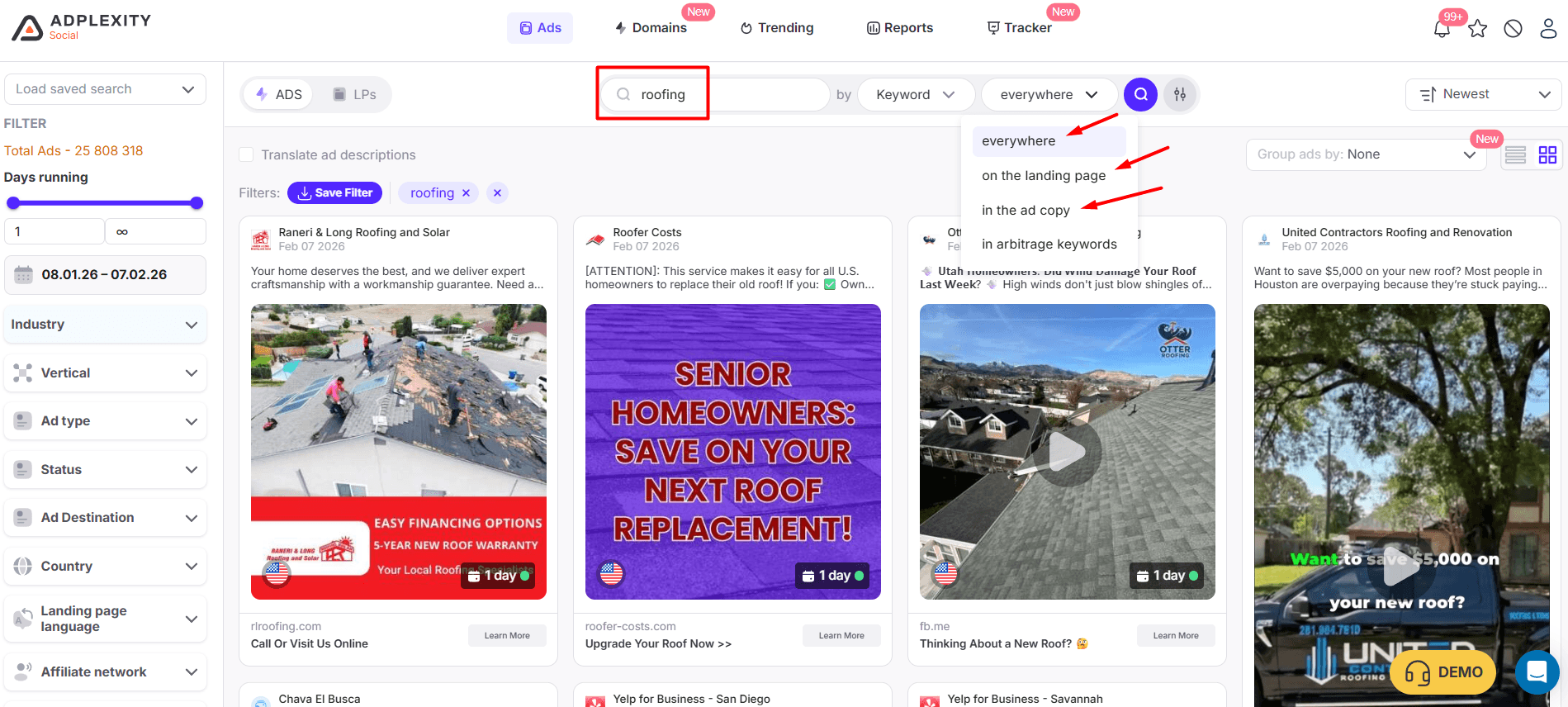
The Facebook Ads Library Limit: When you search for a keyword like "Roofing" in the Ads Library, Facebook only scans the Ad Copy (the text in the post). If the keyword is not in the ad copy, the ad does not exist to you.
The AdPlexity Advantage: We do not just read the ad; we visit and index the Landing Page.
The Scenario: An affiliate runs a vague "blind" ad (e.g., "Homeowners in Florida, look at this!") that links to a "Roofing" landing page.
The Result: Facebook Ads Library will miss it entirely because the word "Roofing" is not in the ad copy. AdPlexity will find it because we saw the keyword on the destination page.
The ROI: You find the hidden winners that your competitors cannot see.
2. The "X-Ray" Search: URL Chains & Trackers
The Facebook Ads Library Limit: Facebook usually looks at the display URL when searching for a domain.
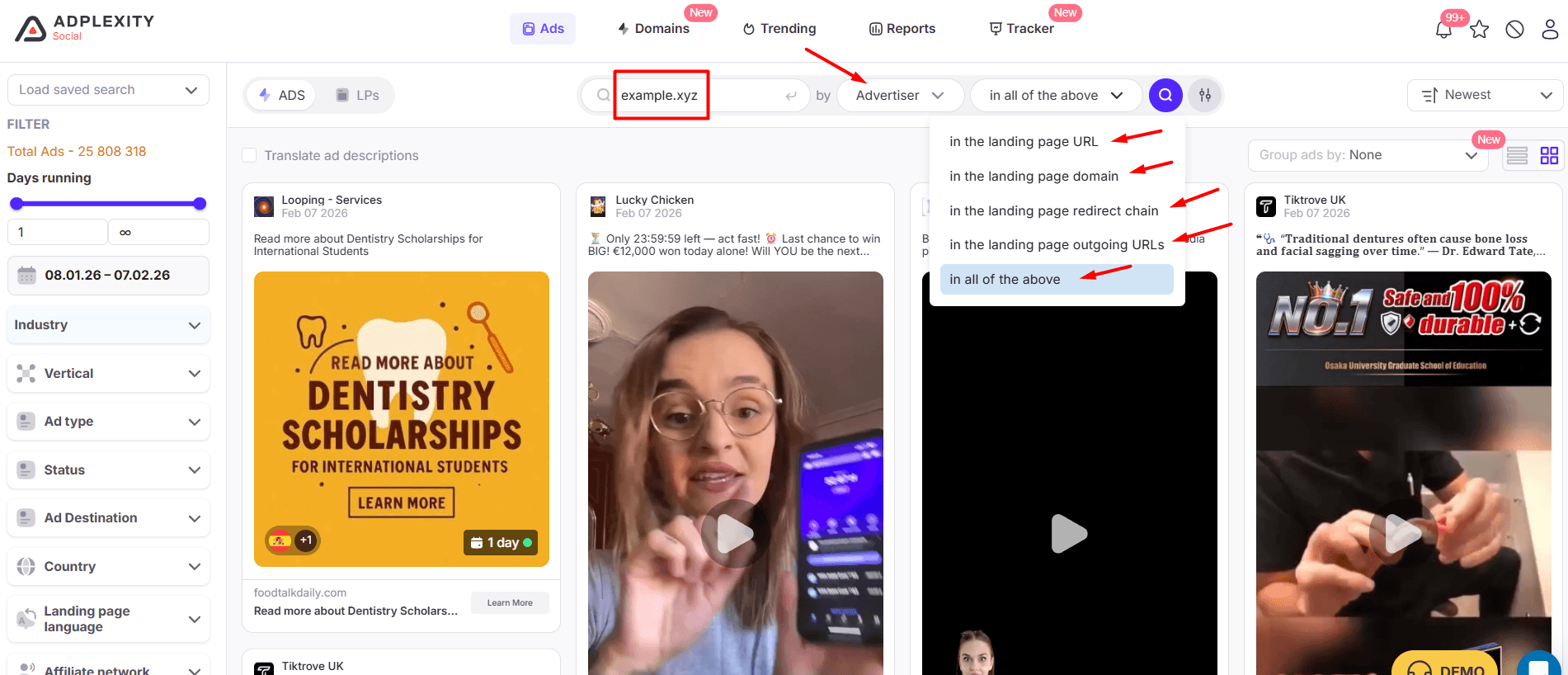
The AdPlexity Advantage: When you use our "Advertiser" mode, we do not just look at the final destination. We scan the entire execution chain.
What you can search on:
Landing Page URL or Domain (Where they end up).
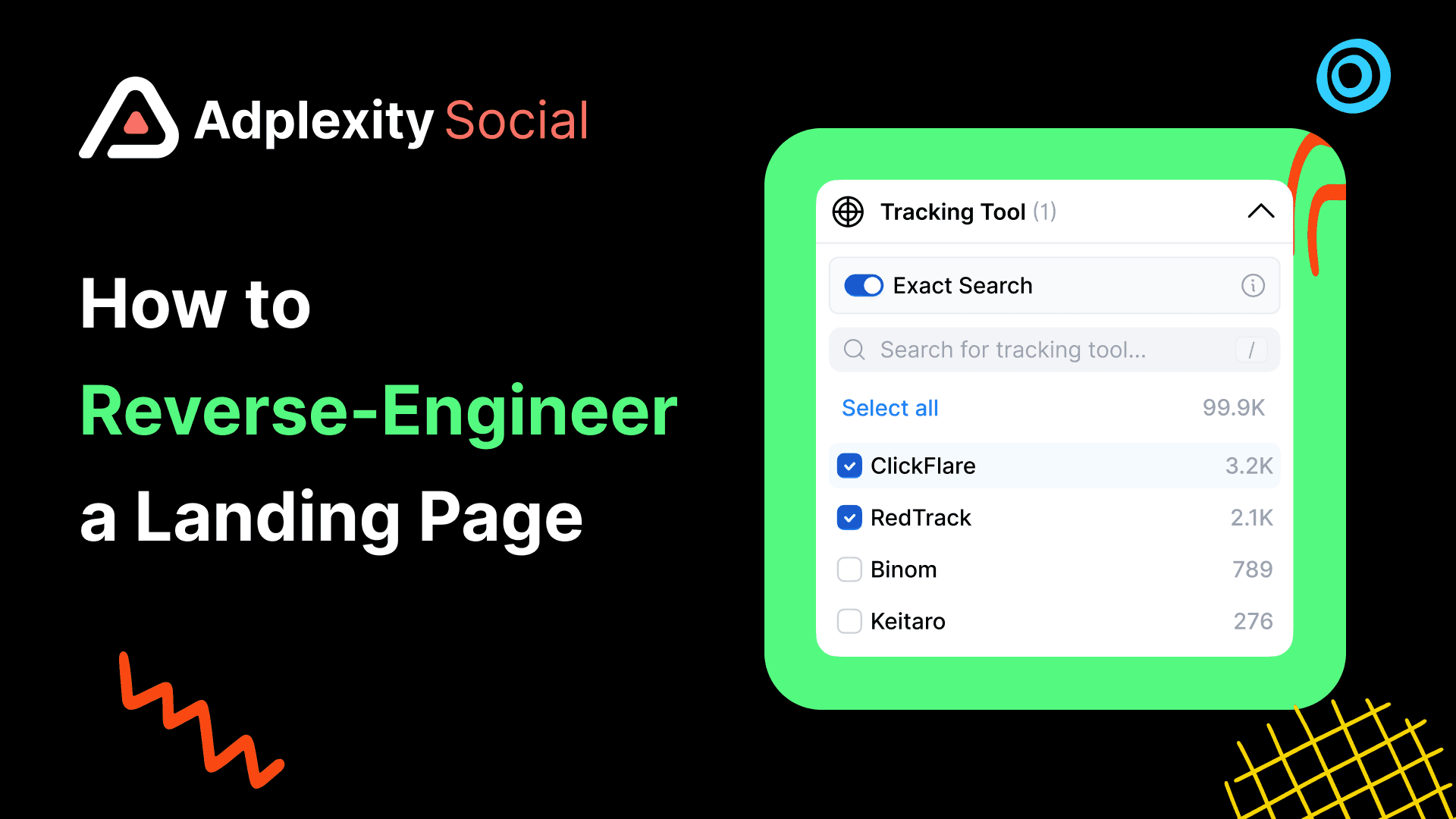
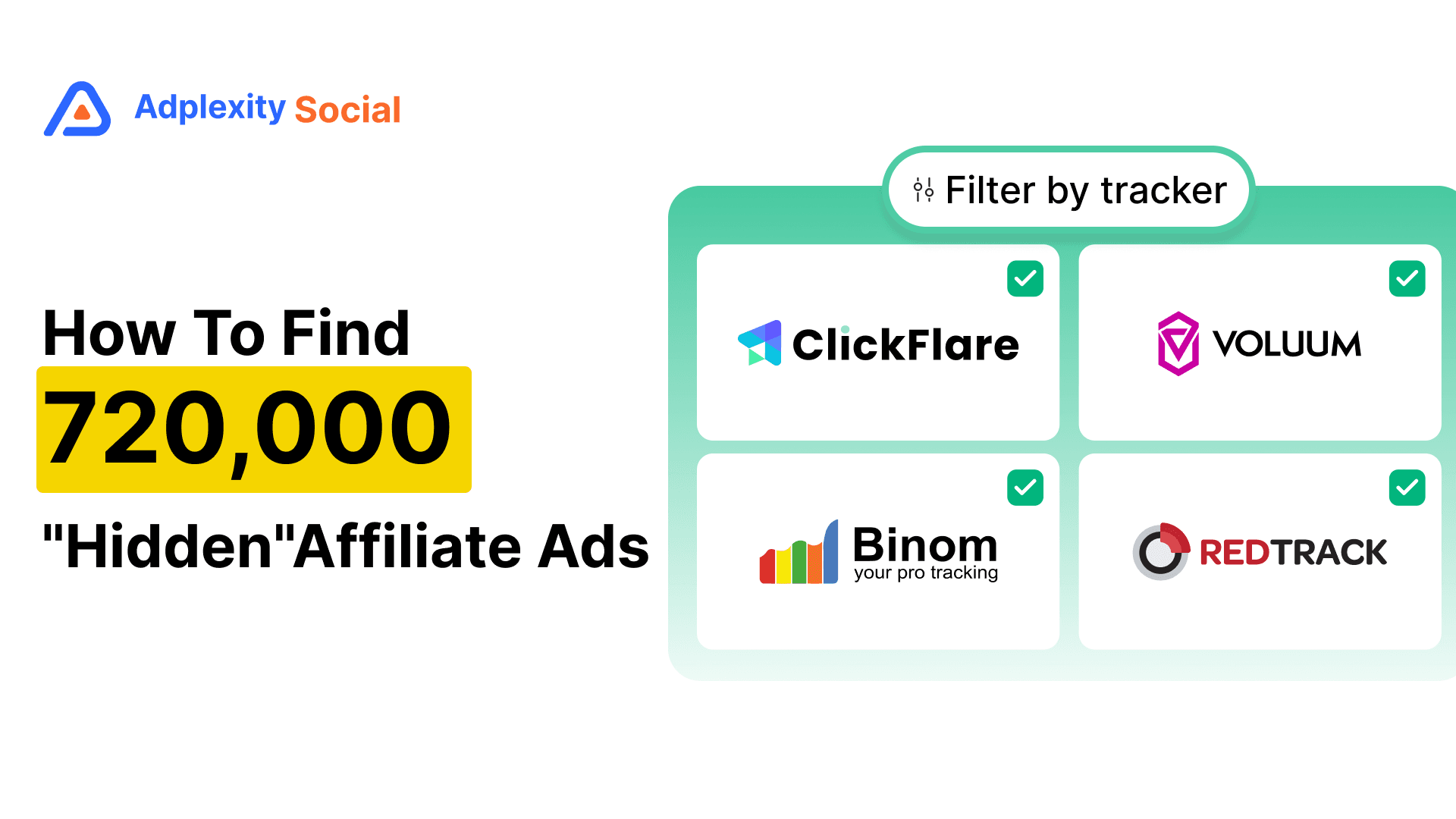
Tracking Domain (e.g., Clickflare, RedTrack, Voluum links in the middle).
Outgoing URLs (Where the button on the LP goes).
URL Parameters (Specific affiliate IDs or tags).
The Power: You can search for a specific tracker domain (e.g., trck.click) to find every single affiliate campaign using that tracking software, regardless of the product or landing page, or a known affiliate offer domain from Clickbank, and it will show all the ads that have the offer as the outgoing url.
3. The "Ghost" Data: Finding What Was Deleted
The Facebook Ads Library Limit: Facebook removes inactive or non-compliant ads. If an aggressive angle gets banned today, it disappears from the Library tomorrow. You lose the history.
The AdPlexity Advantage: We keep everything.
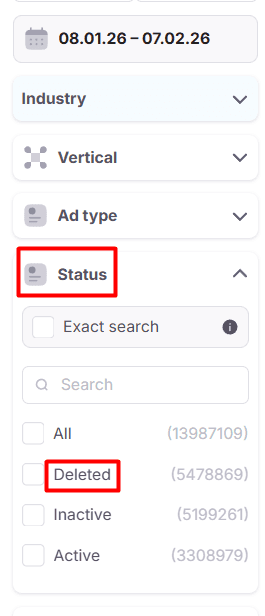
The Value: We archive ads even after they are deleted or banned. This is crucial for aggressive industries. You can study why an ad was banned or see the high-converting angle that burned out 24 hours ago.
The ROI: "Deleted" often means "Too Effective." Study the ghosts to find the edge.
4. Vertical Filters (The Industry Shortcut)
The Facebook Ads Library Limit: You cannot browse by "Industry." You have to guess the right keywords. If you type "Dating," you miss all the ads that use subtle copy like "Meet singles near you."
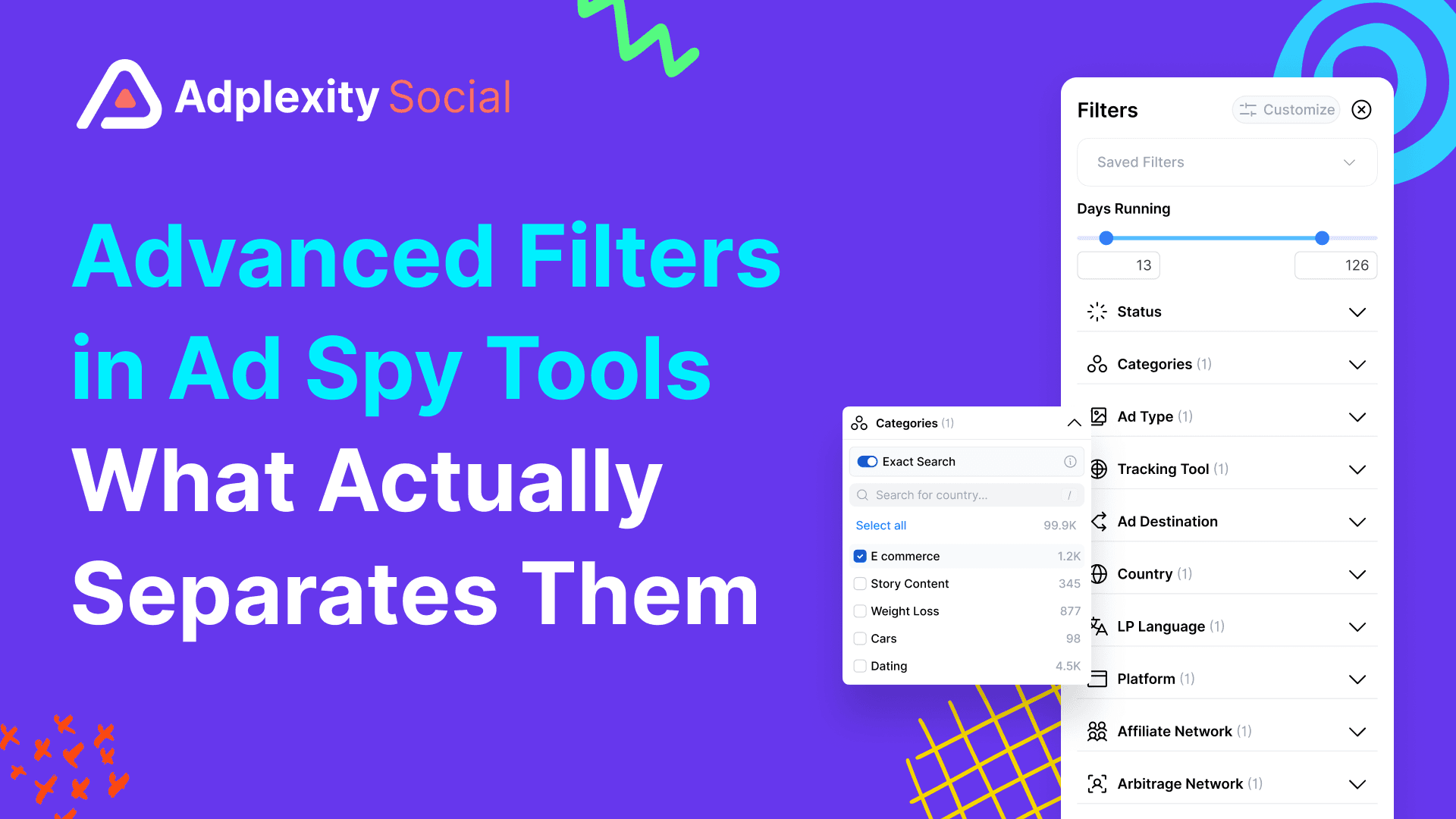
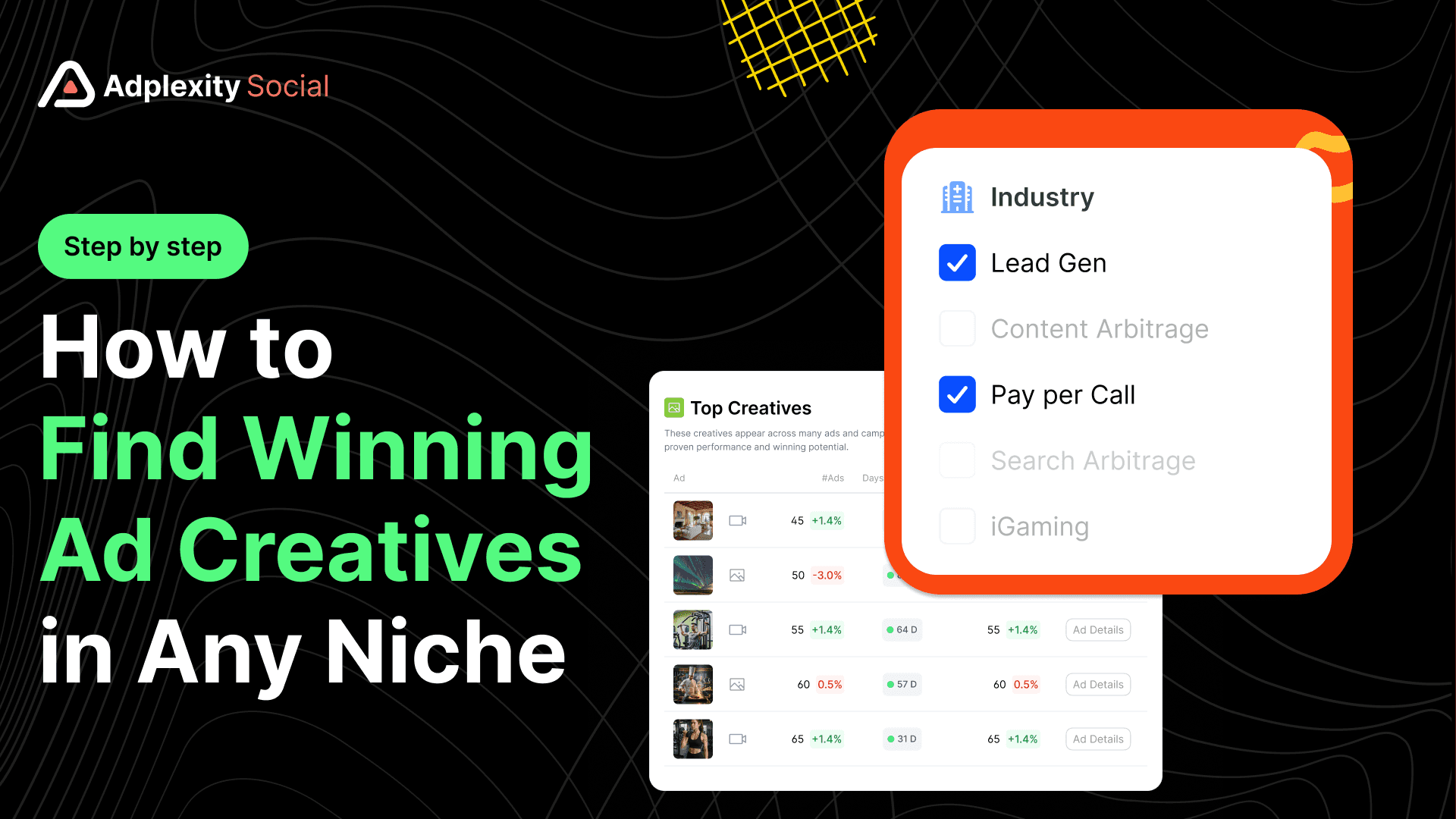
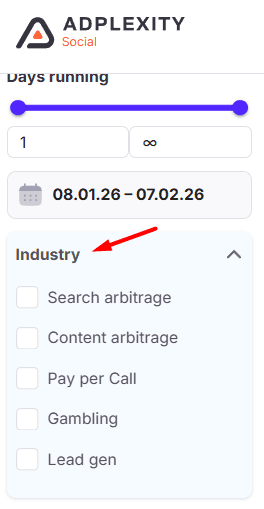
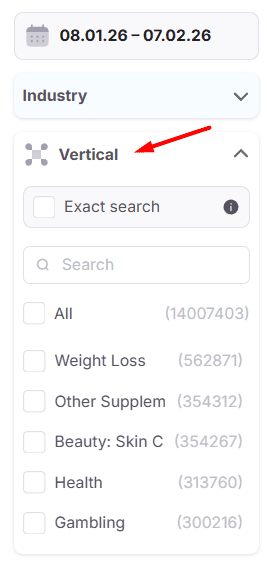
The AdPlexity Advantage: We have pre-built Vertical Filters that instantly sort the database by industry. You do not need to guess keywords; you just select your niche and see what is running.
We support all the top performance industries:
Lead Gen (Solar, Roofing, Insurance, etc)
Pay Per Call
E-Commerce (White Hat & Dropshipping)
Affiliate Offers (Nutra, Gadgets)
Search Arbitrage
Dating
Apps
Gambling / iGaming
And Many more
5. Tech & Affiliate Filtering (The "Reverse-Engineer" Feature)
The Facebook Ads Library Limit: You cannot filter by technology. You cannot ask Facebook, "Show me all ads running on Shopify," or "Show me ads from ClickBank."
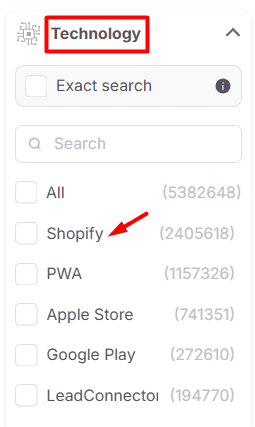
The AdPlexity Advantage: We allow you to reverse-engineer the entire stack.
Technology Filter: Want to see E-com trends? Filter by "Shopify" + "E-commerce" to see 200,000+ active examples.
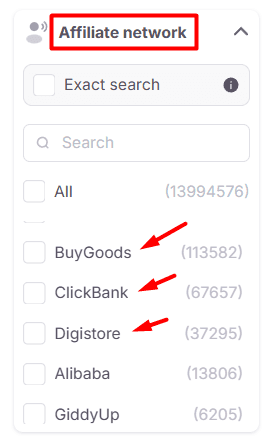
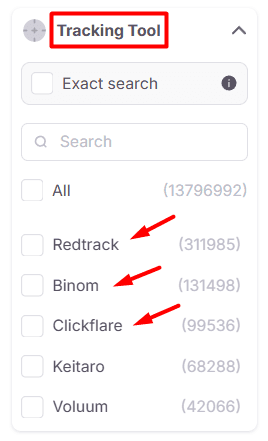
Affiliate Networks: Filter by tracking tools like "ClickFlare.io" or networks like "ClickBank" to strip away the noise and see only affiliate offers.
6. Creative Grouping: The "Winner" Signal
The Facebook Ads Library Limit: You see a list of ads. You have no idea if an ad has one impression or one million. You have to scroll endlessly and guess which creative is the winner.
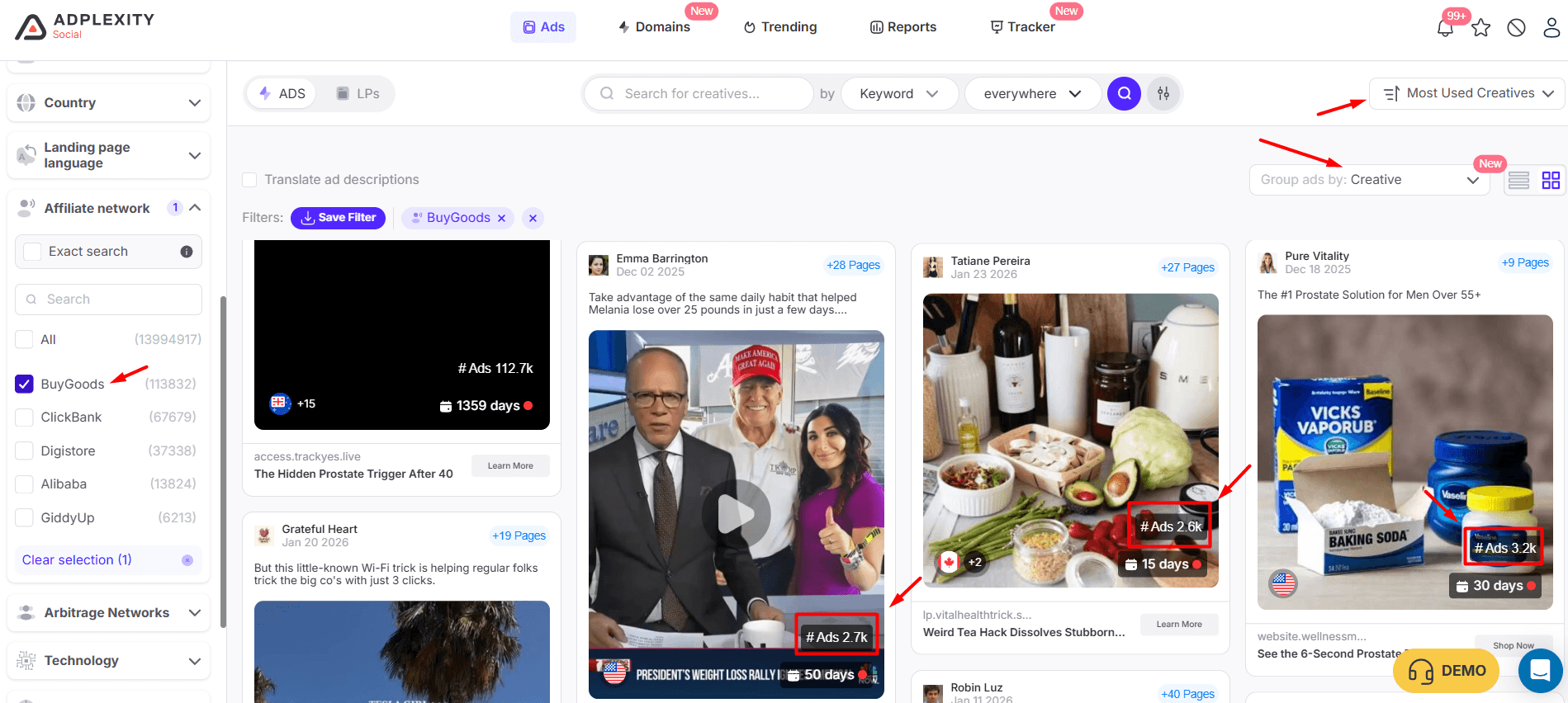
The AdPlexity Advantage: We use a feature called "Group by Creative."
The Insight: We aggregate the data to show you scale. Instead of seeing 3,000 separate entries, we show you one creative and tell you: "This video is running on 3,000 ads across 28 different Fan Pages."
The ROI: Spot the winner instantly without scrolling through thousands of duplicates.
Example of a creative appearing in 2.7k ads and 28 different Fan Pages:
7. Fan Page Dilution: Seeing the Network
The Facebook Ads Library Limit: You see ads in isolation. You do not know if "Roofer A" is connected to "Roofer B."
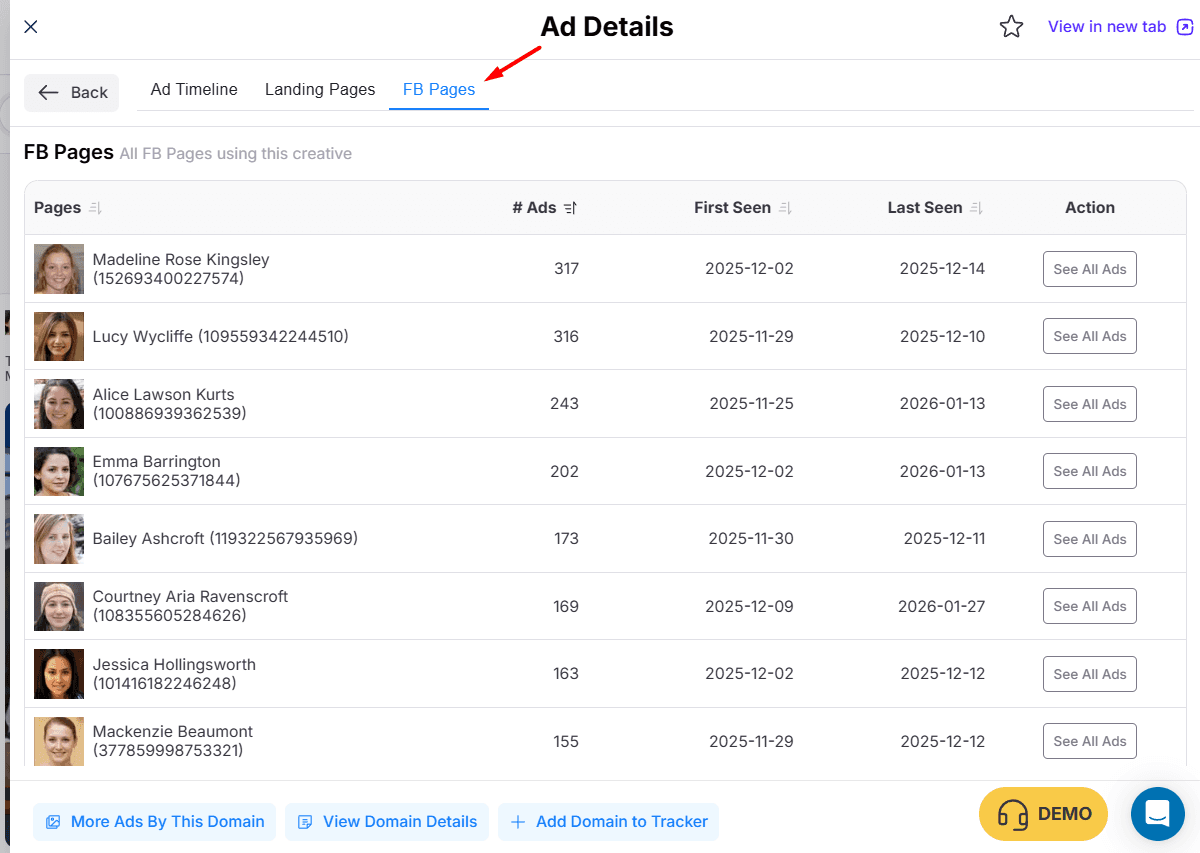
The AdPlexity Advantage: Because we index by Creative Hash, we visualize the dilution strategy.
The View: You can see a single creative asset and view the list of 100+ Fan Pages it is running on simultaneously.
The ROI: Confirm if an advertiser is using a "mass page" strategy to dominate the auction, intel you simply cannot get from a manual library search.
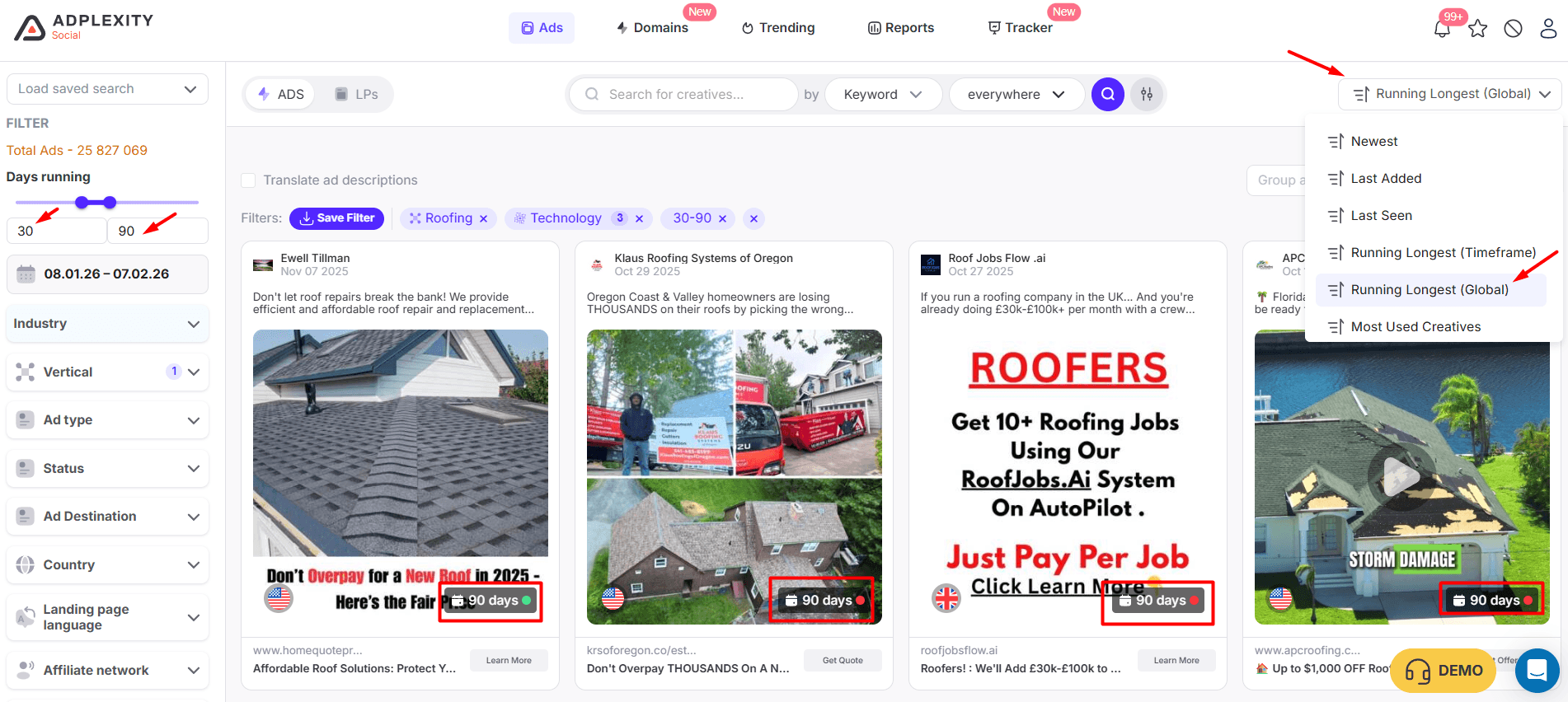
8. Longevity Filtering (Finding the Evergreens)
The Facebook Ads Library Limit: You can sort by "Recency," but you cannot filter by "Duration." You have to manually scroll down to find ads that started running 30+ days ago.
The AdPlexity Advantage: We have a "Days Running" filter.
The Strategy: Set the filter to "Running 30-90 Days."
The Result: We instantly strip out all the test ads that failed and show you only the ads that are profitable enough to survive for a month.
9. The Domain Dimension (The "Boss Level" Difference)
This is the single most important difference between the two tools.
The Facebook Ads Library Limit: The Ads Library is structurally designed to show you ads from a specific Sender (The Fan Page). To find ads, you must search for the Fan Page Name (e.g., "Nike" or "Healthy Living Tips").
The Trap: Sophisticated advertisers never run all their ads from one page. They use dozens (sometimes hundreds) of "burner pages" or segmented niche pages to dilute risk.
The Consequence: To see their full strategy, you would need to know the exact name of every single Fan Page they own. If you miss one, you miss the data.
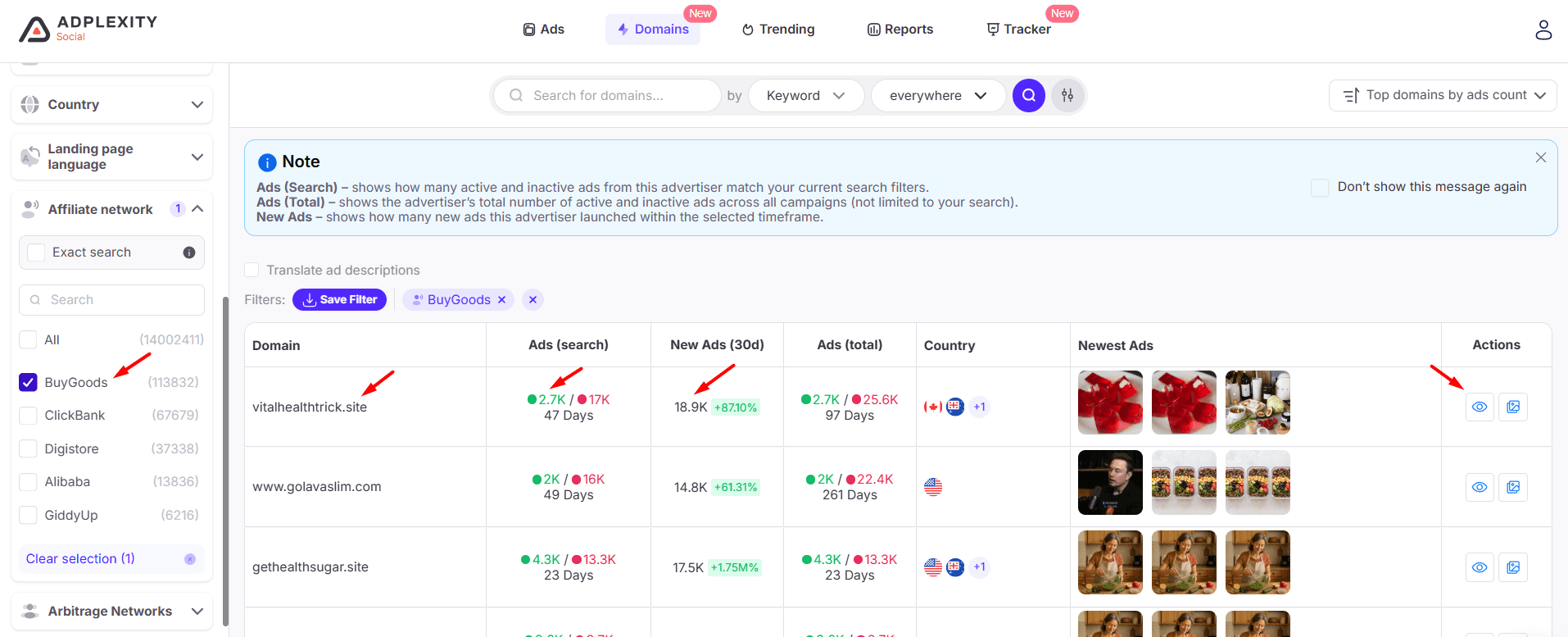
The AdPlexity Advantage: We flip the script. We allow you to search by the Destination Domain.
The Strategy: Instead of asking "What did Page A post?", you ask "Who is sending traffic to CompetitorSite.com?"
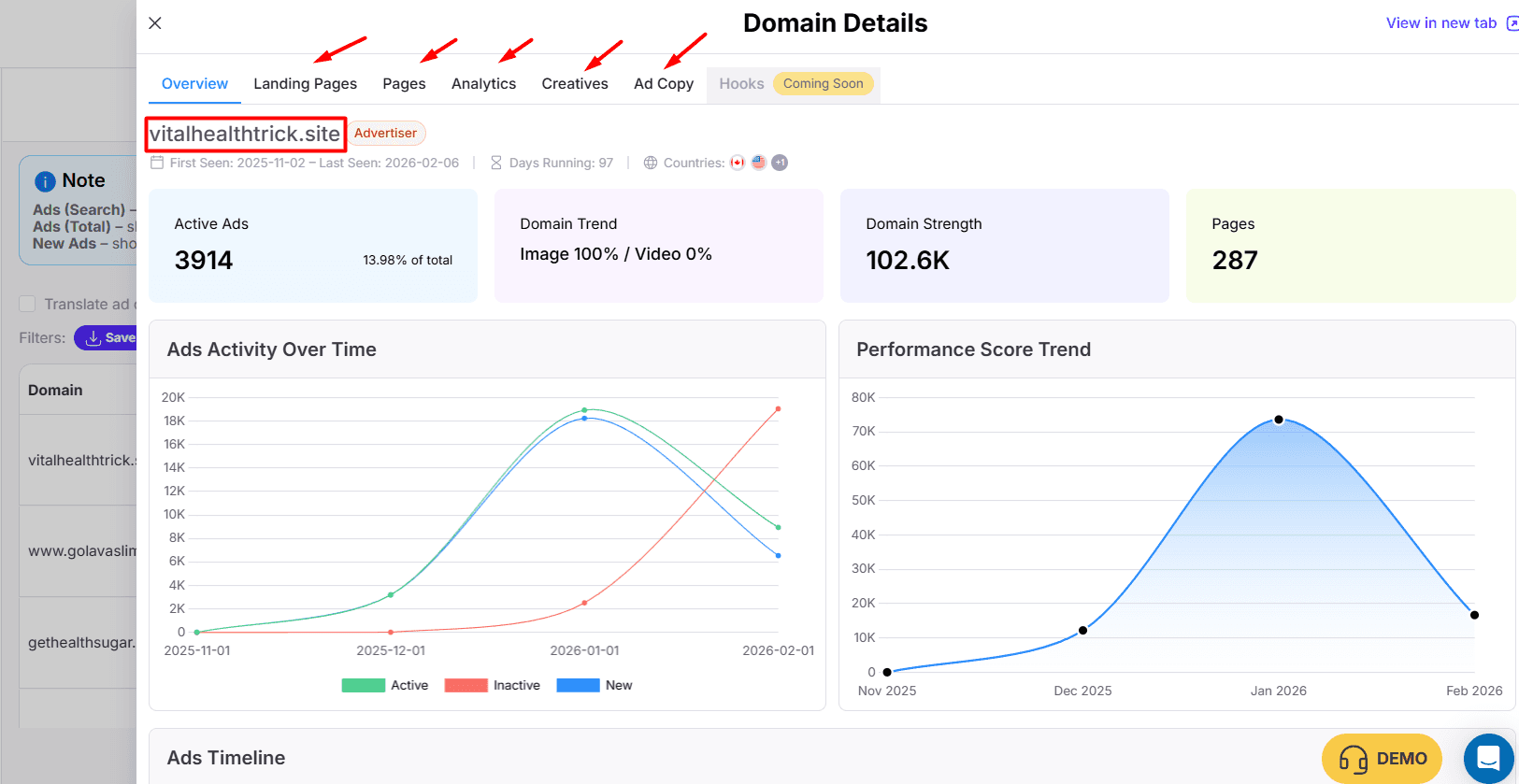
The Result: We instantly show you every single ad pointing to that domain, regardless of which Fan Page it came from. You might discover that one domain is being fed by 50 different Fan Pages that you did not even know existed.
The Power: This allows you to spy on the Business Model, not just the Fan Page. You see the entire network in one click.
Summary: The High Cost of "Free"
In the world of performance marketing, information is the only real edge.
Facebook Ads Library is a "Compliance Tool." It was built to satisfy government regulators and provide transparency to the public. It is designed to answer the question: "Is this brand running ads?" It works perfectly for that.
AdPlexity Social is a "Profit Tool." It was built to help marketers print money. It is designed to answer the question: "How is my competitor scaling, what technology are they using, and which specific creative is generating the most profit?"
The Final Decision:
If you have time to waste and only need to check on well-known brands, the Ads Library is sufficient.
If you want to eliminate the guesswork, find the top campaigns across (Lead Gen, Pay Per Call, Ecom, Gambling, Dating, and many more), see the ads your competitors deleted, and uncover the entire network behind a domain, then AdPlexity Social is not an expense. It is an investment.
Do not search for ads. Search for winners.
🚀 If you are serious about: uncovering the strongest campaigns,
tracking real, revenue-driving funnels, and dissecting the exact angles top marketers are using right now…
Then AdPlexity Social is hands-down the #1 tool you should be using
Discover Winning Meta Ads
Similar Blogs