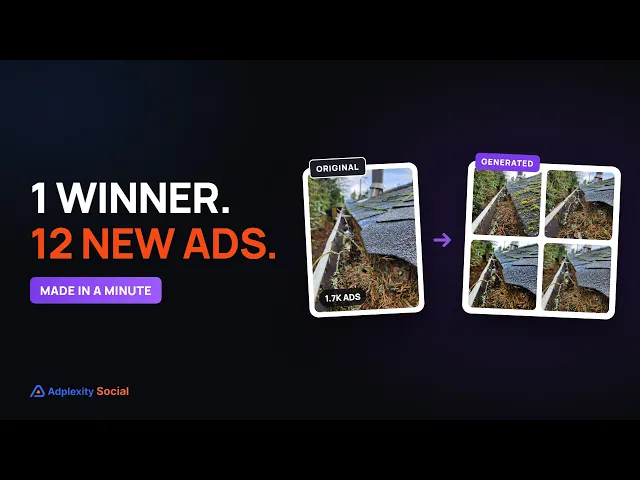
Find an image ad that is working right now, click Generate, and get new variations for your own offer in the formats you run, with ad copy if you want it.
Find an image ad that is working right now, click Generate, and get new variations for your own offer in the formats you run, with ad copy if you want it.
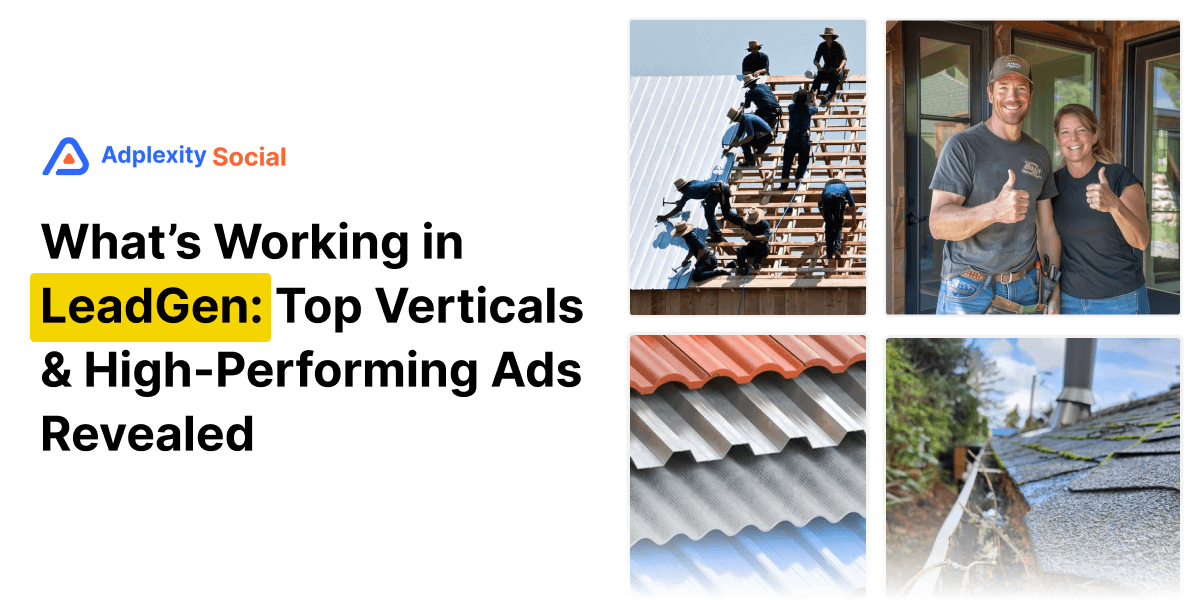
You spot an image ad that is clearly working. In this case, a close-up of a gutter packed with pine needles, running for over a year and picking up 89 new ads in a single week as fall gets underway. Before this module shipped, the next move was a Board, a brief to a designer, and a wait. A seasonal angle does not wait for anybody. Creative Generation changes that: the next move is a click on Generate. If you run lead gen or ecommerce on Meta and want fresh images built on an angle that already works, here is how it works, using the gutter ad I picked in the video below.
Key takeaways. Creative Generation takes a winning image ad you find on AdPlexity Social and turns it into new variations for your own offer, in the formats you pick, with ad copy if you want it. You decide how closely the new images follow the original, what they are built around and how many you need, and the credit cost shows up before you spend a single credit. For now it works with images only. Every account gets 100 credits that renew every month, and each image costs 1 credit.
Watch the video here:
Why is a winning creative only half the job?
The slow part was never finding the winner. The Creative Score release added a Top Creative sort that puts the hottest creatives at the top of any search, so spotting what is working on Meta takes minutes, not hours.
What used to slow things down was everything after that: save the image, brief a designer or open an image tool, and try to rebuild it for your own offer. The way I think about this module is simple: take a winner in one industry and turn it into a potential winner in yours. Research was never the bottleneck. Production was.
The gutter ad that came back for fall
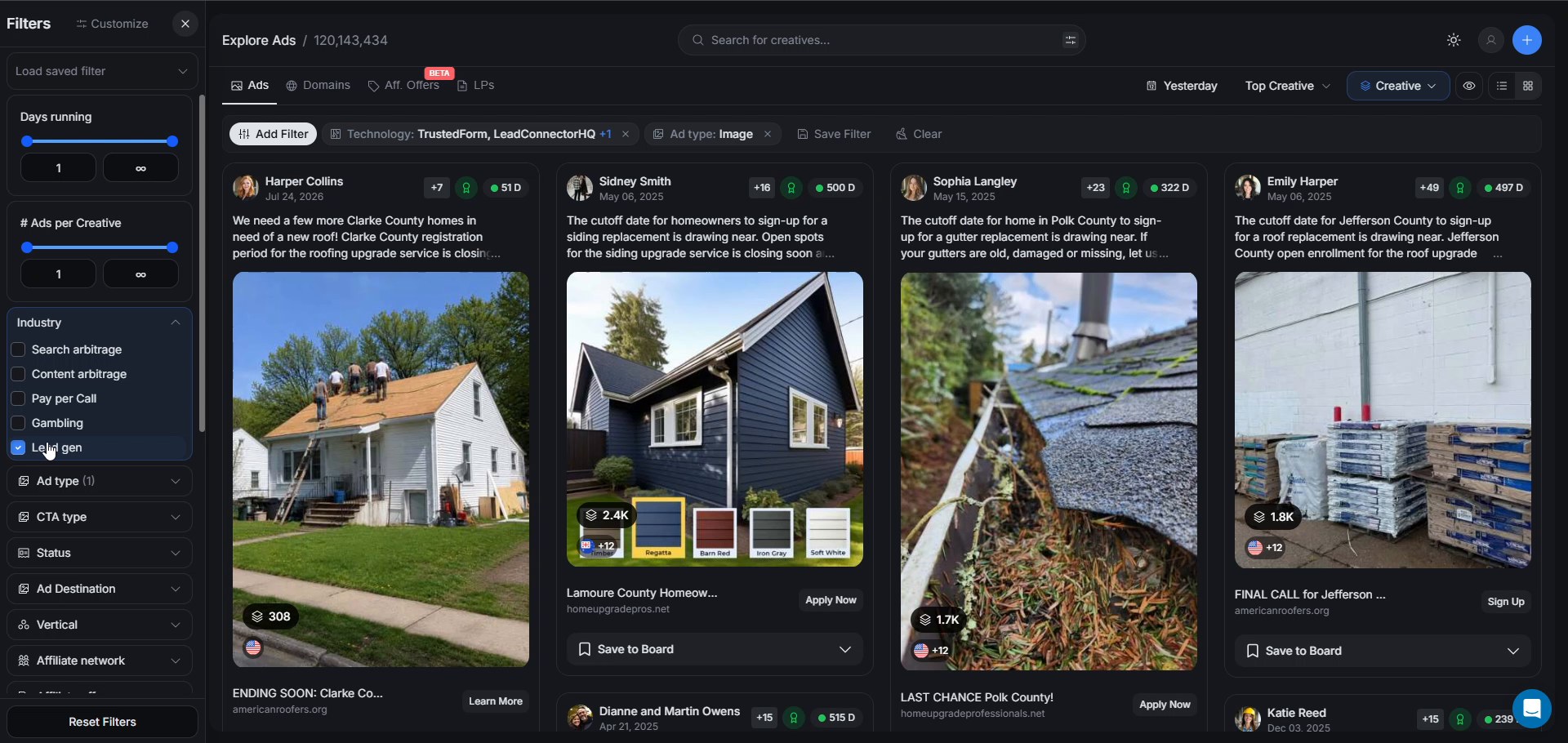
Finding it took one pass through Explore. Set the industry to lead gen, the ad type to image, since the module does not generate video yet, sort by Top Creative, and scroll. One image stands out: a close-up of a roof gutter clogged with pine needles, promoting a county gutter replacement program. If lead gen is your space, here is how we look for top performing lead gen ads in general, and this one came up near the top of that list.
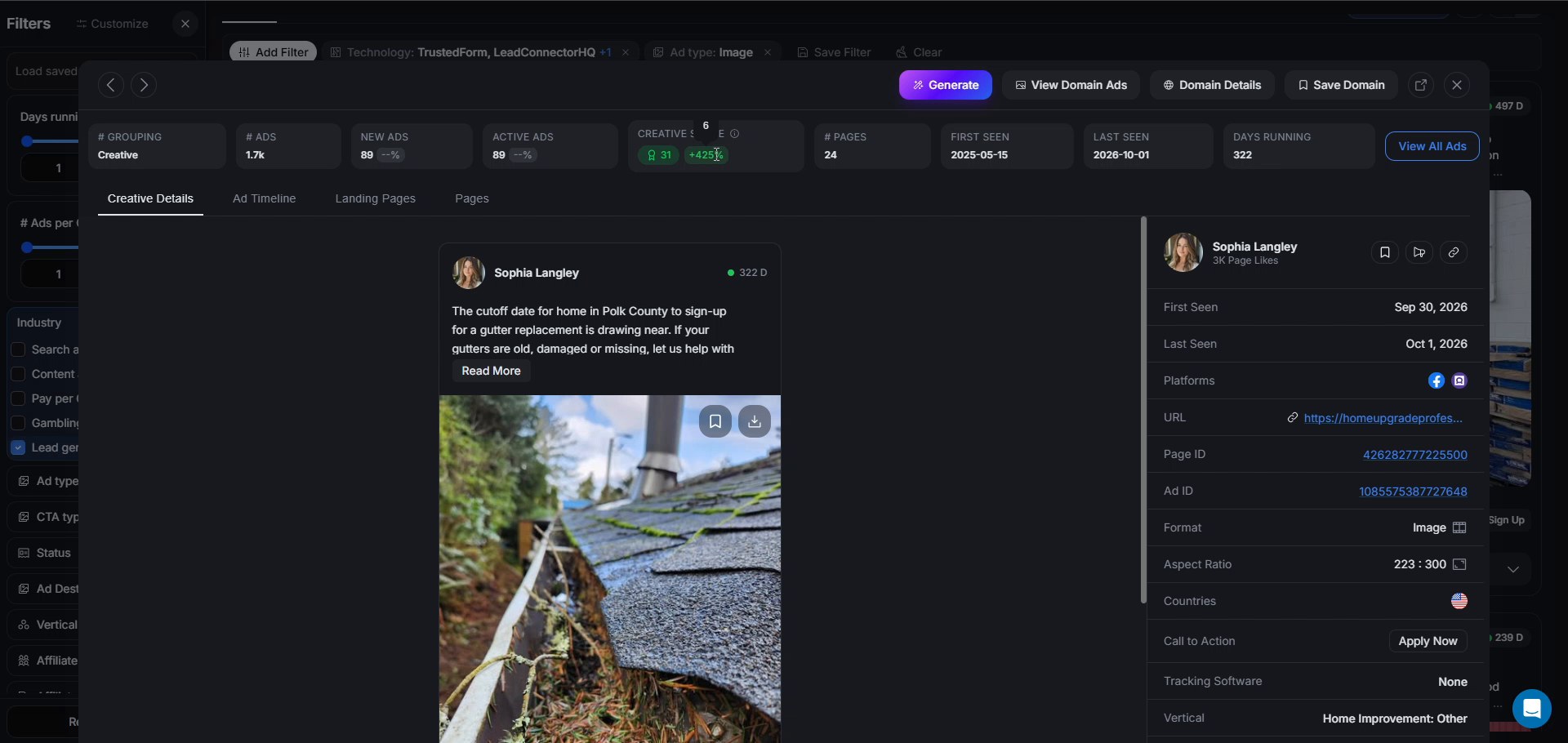
The detail panel says this is an old winner being revived, not a new one. About 1,700 ads sit in this creative group across 24 pages, first seen back on May 15, 2025. In the seven days before we recorded this, it picked up 89 new ads and had 89 active ads, and its Creative Score sat at 31, up 425 percent on the previous week. My read: fall is starting in the northern hemisphere, leaves and pine needles are filling gutters, and advertisers who ran this image last year are switching it back on. The vertical is Home Improvement, and the violet Generate button sits top right of that same panel.
If you run home improvement lead gen, this is the creative to build from right now, so instead of saving it to a Board, you click Generate.
How close should the new images stay to the winner?
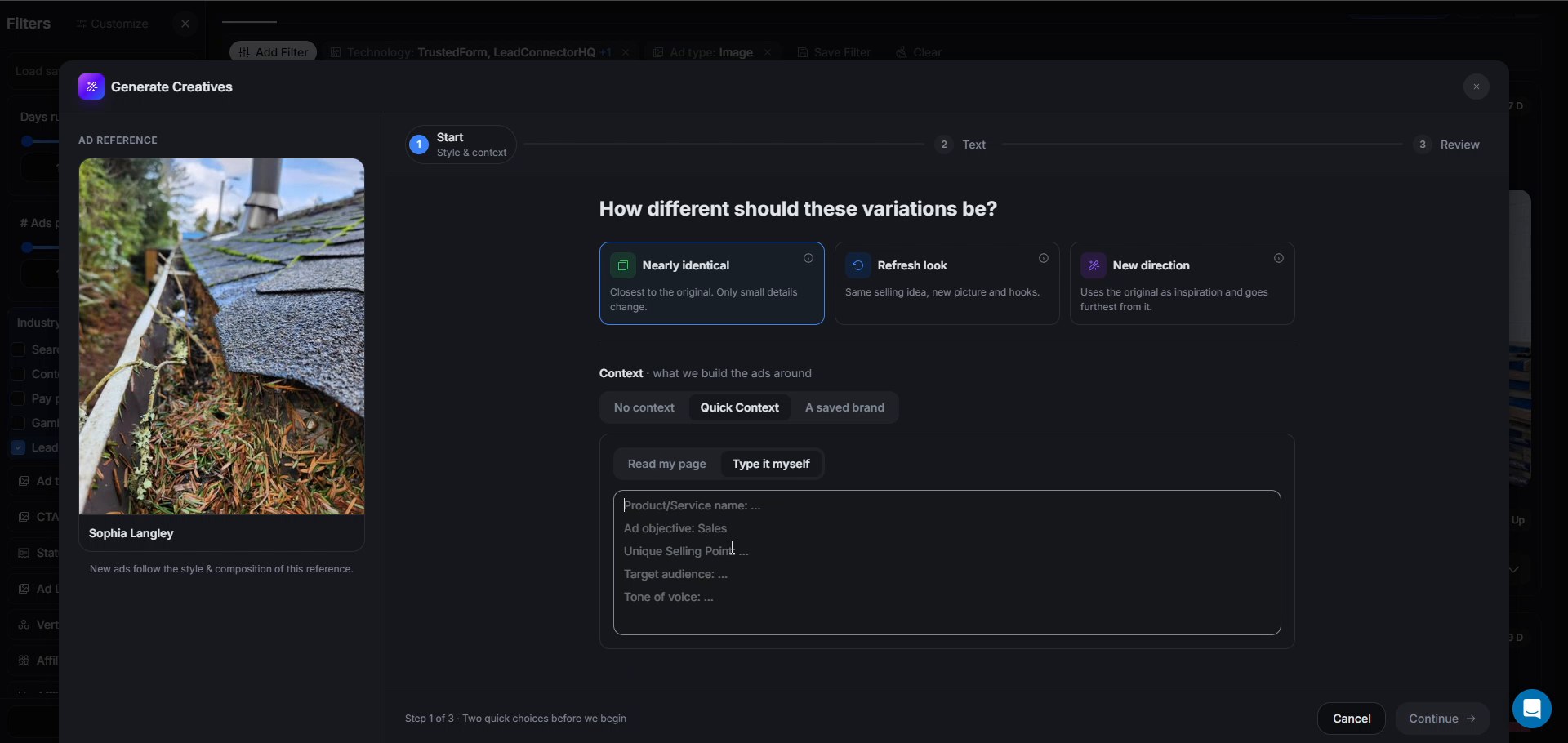
The Generate Creatives window opens with the reference on the left and one promise: new ads follow its style and composition. The first decision is how far to move from that reference, a strategic call, not a setting to click through.
Nearly identical suits a winning image you want fresh versions of, fast. The gutter ad is that case: the clogged gutter is the hook, so we stayed close and let only small details change. Refresh look keeps the selling idea but swaps in a new picture and new hooks, the move once an angle still works but the picture has been seen everywhere, what most media buyers call creative fatigue. New direction treats the original as inspiration and moves furthest from it, the pick when the winner comes from someone else's industry and you only want what makes it work, a winner in one industry, a winner in yours. Start close on a strong reference, then move further out once you know what you like.
Context follows the same logic: build from what you need, not from a list of fields. No context works straight from the image alone, the fastest option and what I used here. Quick Context reads a landing page, yours or a competitor's, it does not matter which, or takes a few typed lines about your product, offer and tone. A saved brand is for when you do this often enough that retyping the same details gets old, more on that below. For the gutter run, Nearly identical with no context.
What happens to the text on the image and the ad copy?
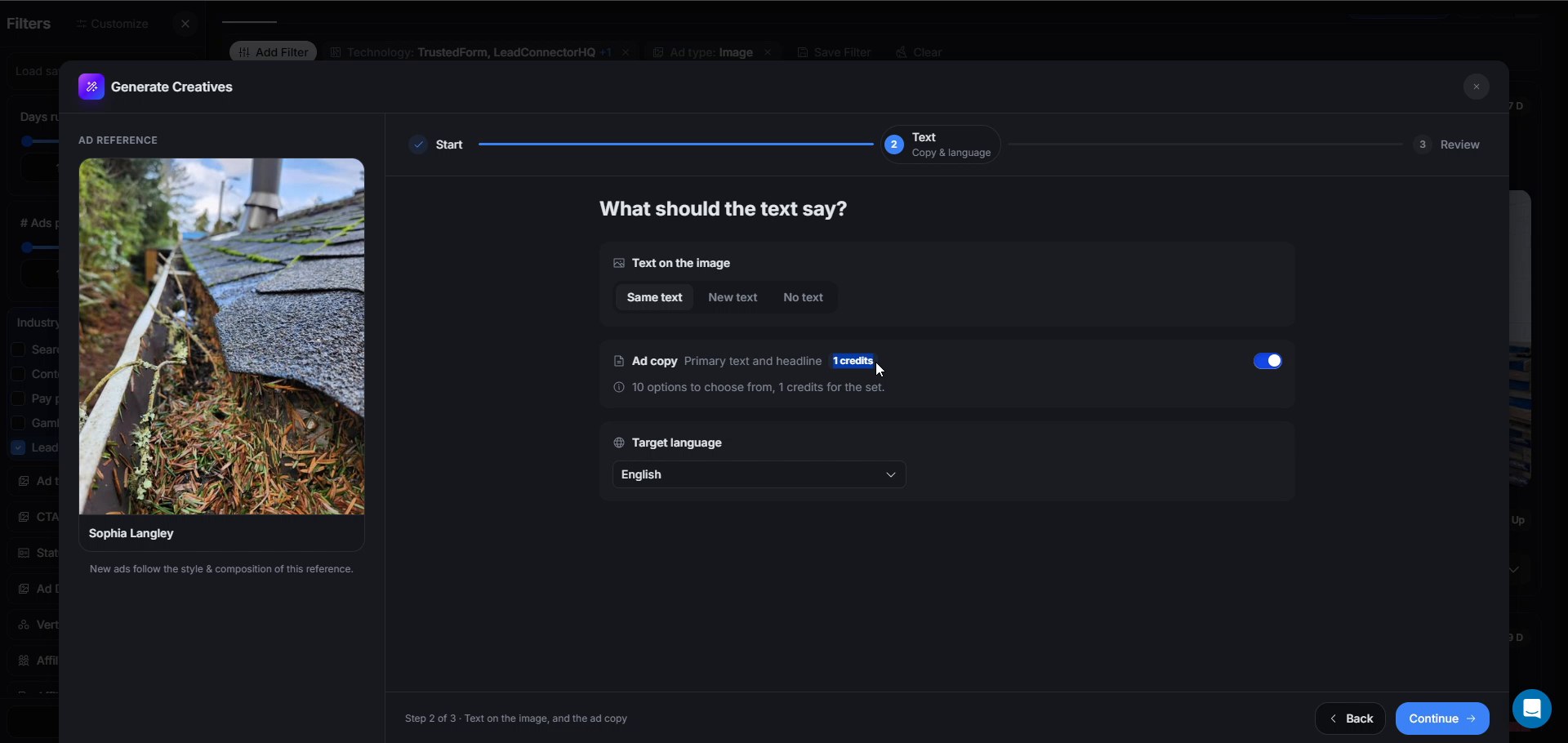
Adapting someone else's creative raises a real question: what happens to any words baked into the image itself? Same text keeps them, which makes sense when the words are the hook. New text swaps them for yours, for when the original sells someone else's offer and you need your own words on it. No text strips them out entirely, for a clean image. The gutter creative carries no text at all, so this choice changed nothing here.
Ad copy is a separate toggle, worth switching on: 10 options for primary text and headlines, 1 credit for the whole set. Pick the target language, English in this run, though Spanish and Portuguese sit in that same list, useful if you run the same offer across several countries.
How many images will you get, and what will they cost?
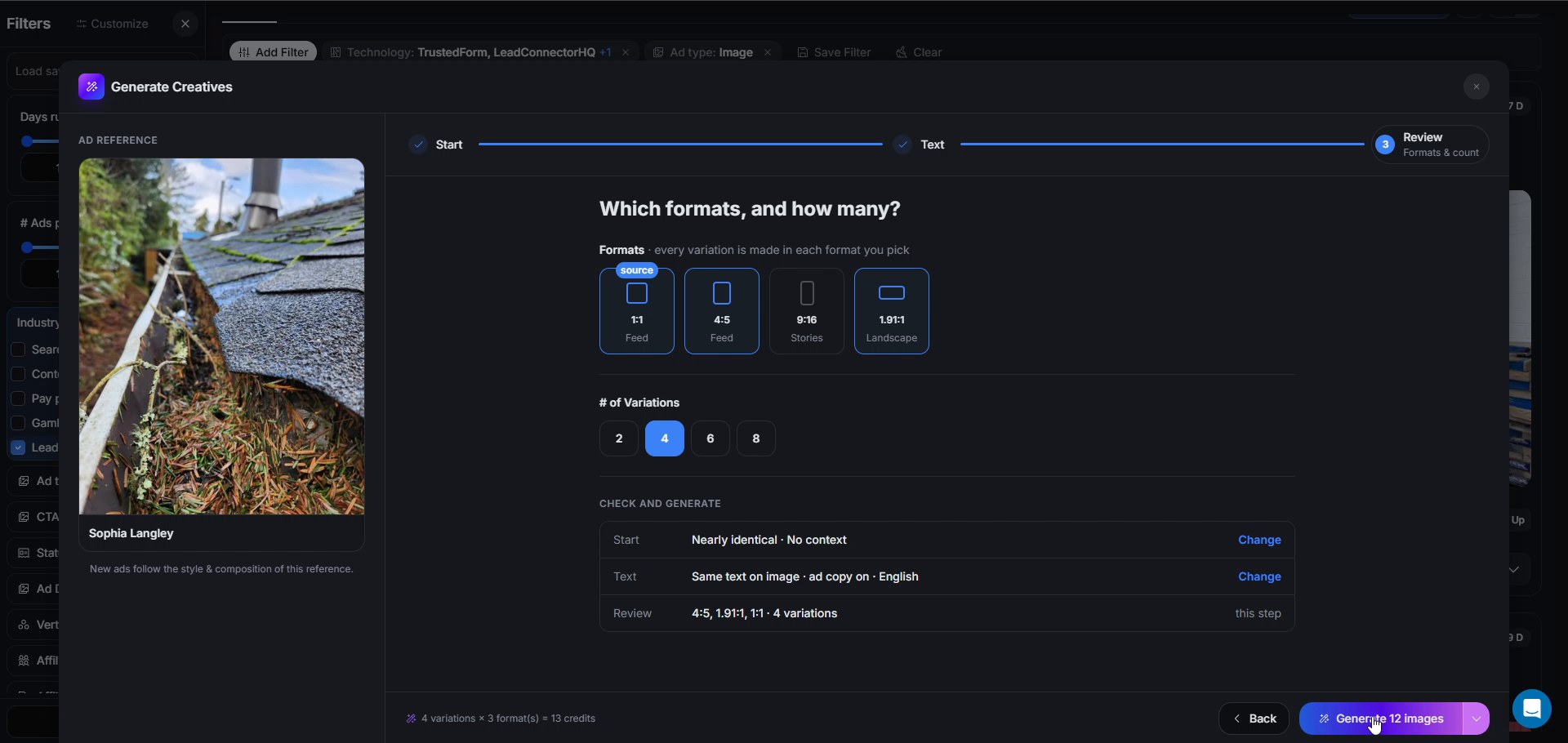
Formats map to where the ad runs. 1:1 and 4:5 cover the feed, 9:16 covers Stories, and 1.91:1 horizontal covers the wider placements. Every variation gets made in each format you pick, and the window marks which format the original came in. Then you choose 2, 4, 6 or 8 variations.
For the gutter run, three formats, 4:5, 1.91:1 and 1:1, times four variations comes to 12 images, plus 1 credit for the ad copy, 13 credits total. The footer does that math before you commit, and the button itself reads Generate 12 images, so nothing about the cost is a surprise.
Click it, and the images arrive in about a minute.
What came back, and what do you do with it?
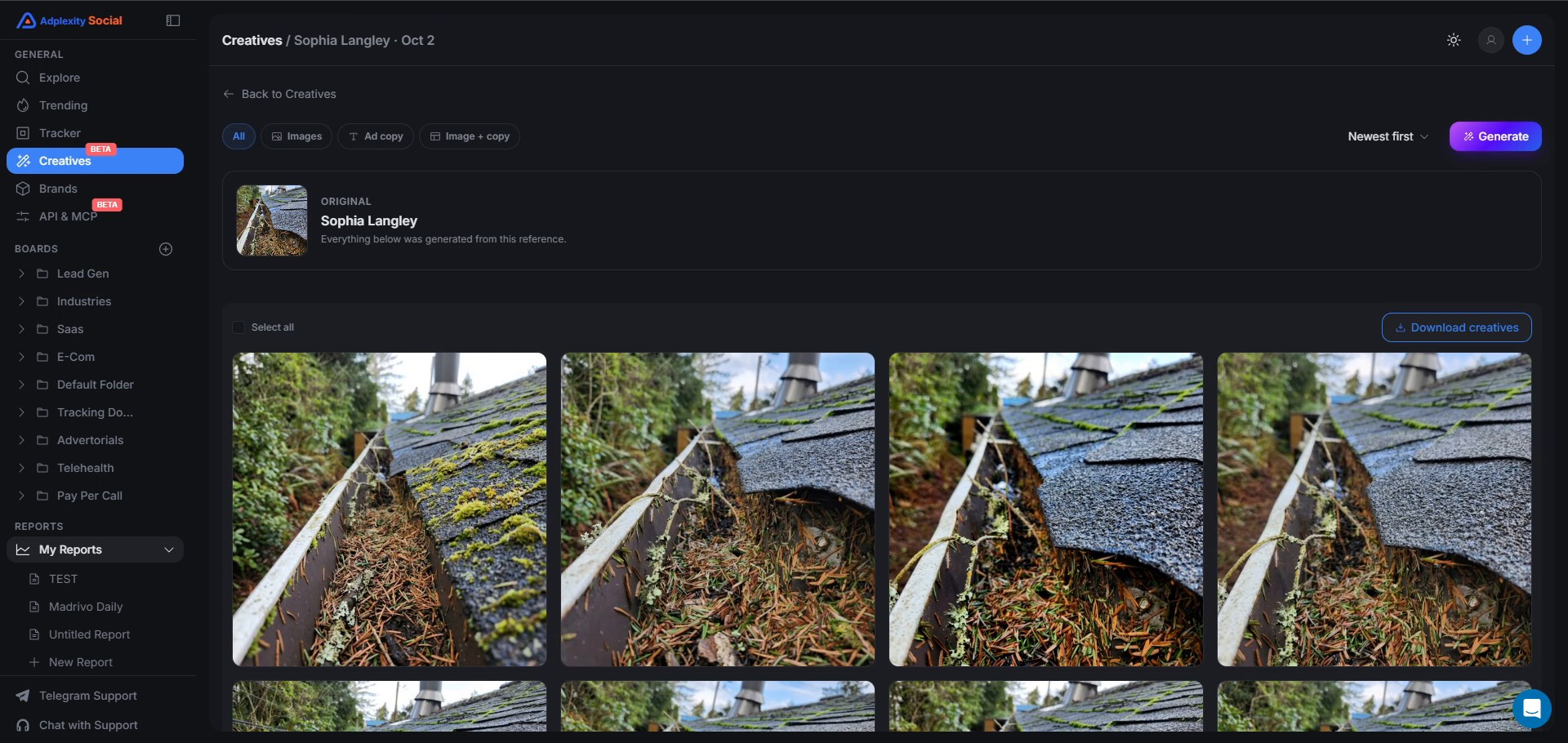
My own read on the output: the 12 images look very similar to the original, but slightly different, the payoff of staying close on a strong reference.
The run gets its own page under Creatives (Beta) in the sidebar, labelled with the reference it came from. Filter to Images, Ad copy or Image + copy, download the creatives, pull the copy as a CSV, and keep runs in folders you can move.
Not every variation lands perfectly, and that is what Fine-tune is for. Open a variation that is close but not quite there, describe what to change, or tap a quick chip, Brighter, Product in-hand, Stronger hook, or leave the box empty and render it again. It costs 1 credit and replaces only that one variation.
None of this is about downloading someone else's ad and passing it off as your own. The goal is fresh creatives built on an angle that already works, not copying someone else's ad.
Set up a brand if you will do this every week
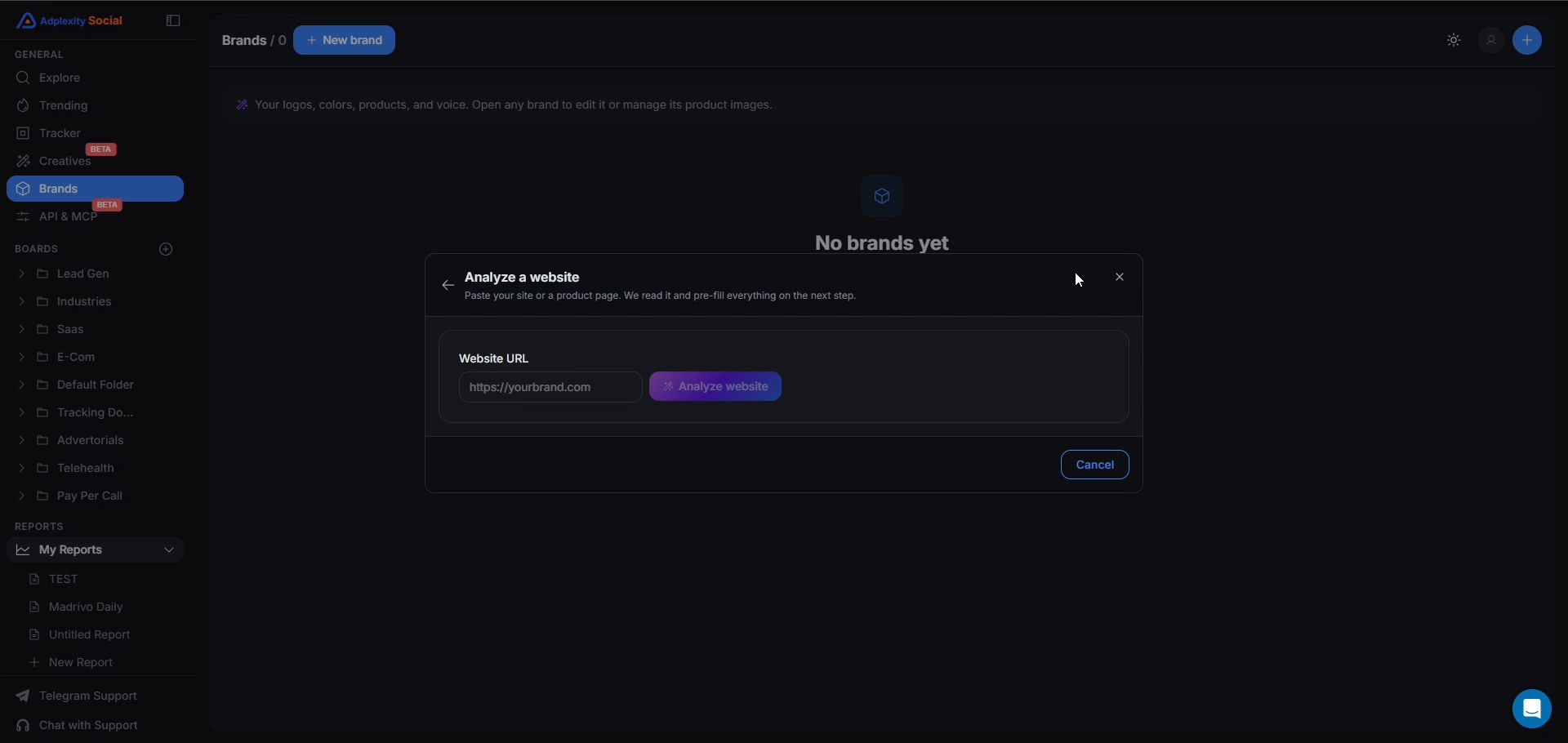
Brands hold your logos, colors, products and voice, so you are not retyping the same details on every run. Build one by hand, or paste your site or a single product page into Analyze a website and let the module read it and pre-fill everything.
Ecommerce has the clearest case: one winning creative, then variations for each product or a bundle, pulling from the same brand. Lead gen benefits too, I think, if you publish content regularly, even though the gutter run in this post skipped that step.
How many credits do you get?
The cost model fits in one paragraph. Every account gets 100 credits a month, and they renew every month. One image costs 1 credit, one ad copy set costs 1 credit, one re-render costs 1 credit, so 100 credits covers 100 images. Extra credit packages are coming soon for anyone who needs more. Images only for now, and Creatives sits in the sidebar marked Beta, so if something should work differently, we want to hear about it.
Where to start
Pick your own industry in Explore, sort by Top Creative, and open the image that is clearly winning. Click Generate and work through the same decisions we walked through on the gutter ad: how far to move from the reference, what to say on the image and in the copy, and how many formats you need. New to AdPlexity Social? Sign up at adplexity.io.
Frequently Asked Questions
What is Creative Generation in AdPlexity Social?
A module that turns a winning image ad into new variations for your own offer. You control how closely the result follows the original, what it is built around, and the formats, and it finishes in about a minute.
Can AdPlexity Social generate video ads?
Not yet. Filter Explore to image ads before you look for a reference to build from.
How many credits does Creative Generation cost, and how many do I get?
Each image, ad copy set and re-render costs 1 credit. Every account gets 100 credits a month, with extra packages coming soon. Four variations across three formats plus ad copy comes to 13 credits, shown before you generate.
Which ad formats can it create?
1:1 and 4:5 for the feed, 9:16 for Stories, and 1.91:1 for wider placements, each variation produced in every format you select. Choose 2, 4, 6 or 8 variations per run.
Does it write the ad copy too?
Yes. Switch it on for primary text and headlines, 10 options for 1 credit, in the language you pick. Download the copy as a CSV once the run finishes.
Can I generate ads around my own brand and products?
Yes. Set up a brand with your logos, colors, products and voice, by hand or by pasting your website. Products sit under a brand, useful if you run ecommerce with several items.
What if one variation is almost right?
Open it and use Fine-tune. Describe the change, tap a quick chip such as Brighter or Stronger hook, or leave the box empty to render again, for 1 credit, replacing only that variation.
Is this just copying a competitor's ad?
No. You choose how far the new images move from the reference, and Refresh look or New direction, paired with your own brand or landing page, build around your offer rather than theirs. The goal is a fresh creative on an angle that already works, not a copy of someone else's ad.
You spot an image ad that is clearly working. In this case, a close-up of a gutter packed with pine needles, running for over a year and picking up 89 new ads in a single week as fall gets underway. Before this module shipped, the next move was a Board, a brief to a designer, and a wait. A seasonal angle does not wait for anybody. Creative Generation changes that: the next move is a click on Generate. If you run lead gen or ecommerce on Meta and want fresh images built on an angle that already works, here is how it works, using the gutter ad I picked in the video below.
Key takeaways. Creative Generation takes a winning image ad you find on AdPlexity Social and turns it into new variations for your own offer, in the formats you pick, with ad copy if you want it. You decide how closely the new images follow the original, what they are built around and how many you need, and the credit cost shows up before you spend a single credit. For now it works with images only. Every account gets 100 credits that renew every month, and each image costs 1 credit.
Watch the video here:
Why is a winning creative only half the job?
The slow part was never finding the winner. The Creative Score release added a Top Creative sort that puts the hottest creatives at the top of any search, so spotting what is working on Meta takes minutes, not hours.
What used to slow things down was everything after that: save the image, brief a designer or open an image tool, and try to rebuild it for your own offer. The way I think about this module is simple: take a winner in one industry and turn it into a potential winner in yours. Research was never the bottleneck. Production was.
The gutter ad that came back for fall
Finding it took one pass through Explore. Set the industry to lead gen, the ad type to image, since the module does not generate video yet, sort by Top Creative, and scroll. One image stands out: a close-up of a roof gutter clogged with pine needles, promoting a county gutter replacement program. If lead gen is your space, here is how we look for top performing lead gen ads in general, and this one came up near the top of that list.
The detail panel says this is an old winner being revived, not a new one. About 1,700 ads sit in this creative group across 24 pages, first seen back on May 15, 2025. In the seven days before we recorded this, it picked up 89 new ads and had 89 active ads, and its Creative Score sat at 31, up 425 percent on the previous week. My read: fall is starting in the northern hemisphere, leaves and pine needles are filling gutters, and advertisers who ran this image last year are switching it back on. The vertical is Home Improvement, and the violet Generate button sits top right of that same panel.
If you run home improvement lead gen, this is the creative to build from right now, so instead of saving it to a Board, you click Generate.
How close should the new images stay to the winner?
The Generate Creatives window opens with the reference on the left and one promise: new ads follow its style and composition. The first decision is how far to move from that reference, a strategic call, not a setting to click through.
Nearly identical suits a winning image you want fresh versions of, fast. The gutter ad is that case: the clogged gutter is the hook, so we stayed close and let only small details change. Refresh look keeps the selling idea but swaps in a new picture and new hooks, the move once an angle still works but the picture has been seen everywhere, what most media buyers call creative fatigue. New direction treats the original as inspiration and moves furthest from it, the pick when the winner comes from someone else's industry and you only want what makes it work, a winner in one industry, a winner in yours. Start close on a strong reference, then move further out once you know what you like.
Context follows the same logic: build from what you need, not from a list of fields. No context works straight from the image alone, the fastest option and what I used here. Quick Context reads a landing page, yours or a competitor's, it does not matter which, or takes a few typed lines about your product, offer and tone. A saved brand is for when you do this often enough that retyping the same details gets old, more on that below. For the gutter run, Nearly identical with no context.
What happens to the text on the image and the ad copy?
Adapting someone else's creative raises a real question: what happens to any words baked into the image itself? Same text keeps them, which makes sense when the words are the hook. New text swaps them for yours, for when the original sells someone else's offer and you need your own words on it. No text strips them out entirely, for a clean image. The gutter creative carries no text at all, so this choice changed nothing here.
Ad copy is a separate toggle, worth switching on: 10 options for primary text and headlines, 1 credit for the whole set. Pick the target language, English in this run, though Spanish and Portuguese sit in that same list, useful if you run the same offer across several countries.
How many images will you get, and what will they cost?
Formats map to where the ad runs. 1:1 and 4:5 cover the feed, 9:16 covers Stories, and 1.91:1 horizontal covers the wider placements. Every variation gets made in each format you pick, and the window marks which format the original came in. Then you choose 2, 4, 6 or 8 variations.
For the gutter run, three formats, 4:5, 1.91:1 and 1:1, times four variations comes to 12 images, plus 1 credit for the ad copy, 13 credits total. The footer does that math before you commit, and the button itself reads Generate 12 images, so nothing about the cost is a surprise.
Click it, and the images arrive in about a minute.
What came back, and what do you do with it?
My own read on the output: the 12 images look very similar to the original, but slightly different, the payoff of staying close on a strong reference.
The run gets its own page under Creatives (Beta) in the sidebar, labelled with the reference it came from. Filter to Images, Ad copy or Image + copy, download the creatives, pull the copy as a CSV, and keep runs in folders you can move.
Not every variation lands perfectly, and that is what Fine-tune is for. Open a variation that is close but not quite there, describe what to change, or tap a quick chip, Brighter, Product in-hand, Stronger hook, or leave the box empty and render it again. It costs 1 credit and replaces only that one variation.
None of this is about downloading someone else's ad and passing it off as your own. The goal is fresh creatives built on an angle that already works, not copying someone else's ad.
Set up a brand if you will do this every week
Brands hold your logos, colors, products and voice, so you are not retyping the same details on every run. Build one by hand, or paste your site or a single product page into Analyze a website and let the module read it and pre-fill everything.
Ecommerce has the clearest case: one winning creative, then variations for each product or a bundle, pulling from the same brand. Lead gen benefits too, I think, if you publish content regularly, even though the gutter run in this post skipped that step.
How many credits do you get?
The cost model fits in one paragraph. Every account gets 100 credits a month, and they renew every month. One image costs 1 credit, one ad copy set costs 1 credit, one re-render costs 1 credit, so 100 credits covers 100 images. Extra credit packages are coming soon for anyone who needs more. Images only for now, and Creatives sits in the sidebar marked Beta, so if something should work differently, we want to hear about it.
Where to start
Pick your own industry in Explore, sort by Top Creative, and open the image that is clearly winning. Click Generate and work through the same decisions we walked through on the gutter ad: how far to move from the reference, what to say on the image and in the copy, and how many formats you need. New to AdPlexity Social? Sign up at adplexity.io.
Frequently Asked Questions
What is Creative Generation in AdPlexity Social?
A module that turns a winning image ad into new variations for your own offer. You control how closely the result follows the original, what it is built around, and the formats, and it finishes in about a minute.
Can AdPlexity Social generate video ads?
Not yet. Filter Explore to image ads before you look for a reference to build from.
How many credits does Creative Generation cost, and how many do I get?
Each image, ad copy set and re-render costs 1 credit. Every account gets 100 credits a month, with extra packages coming soon. Four variations across three formats plus ad copy comes to 13 credits, shown before you generate.
Which ad formats can it create?
1:1 and 4:5 for the feed, 9:16 for Stories, and 1.91:1 for wider placements, each variation produced in every format you select. Choose 2, 4, 6 or 8 variations per run.
Does it write the ad copy too?
Yes. Switch it on for primary text and headlines, 10 options for 1 credit, in the language you pick. Download the copy as a CSV once the run finishes.
Can I generate ads around my own brand and products?
Yes. Set up a brand with your logos, colors, products and voice, by hand or by pasting your website. Products sit under a brand, useful if you run ecommerce with several items.
What if one variation is almost right?
Open it and use Fine-tune. Describe the change, tap a quick chip such as Brighter or Stronger hook, or leave the box empty to render again, for 1 credit, replacing only that variation.
Is this just copying a competitor's ad?
No. You choose how far the new images move from the reference, and Refresh look or New direction, paired with your own brand or landing page, build around your offer rather than theirs. The goal is a fresh creative on an angle that already works, not a copy of someone else's ad.
Table of Contents
Quickly navigate through the key sections of this article.